

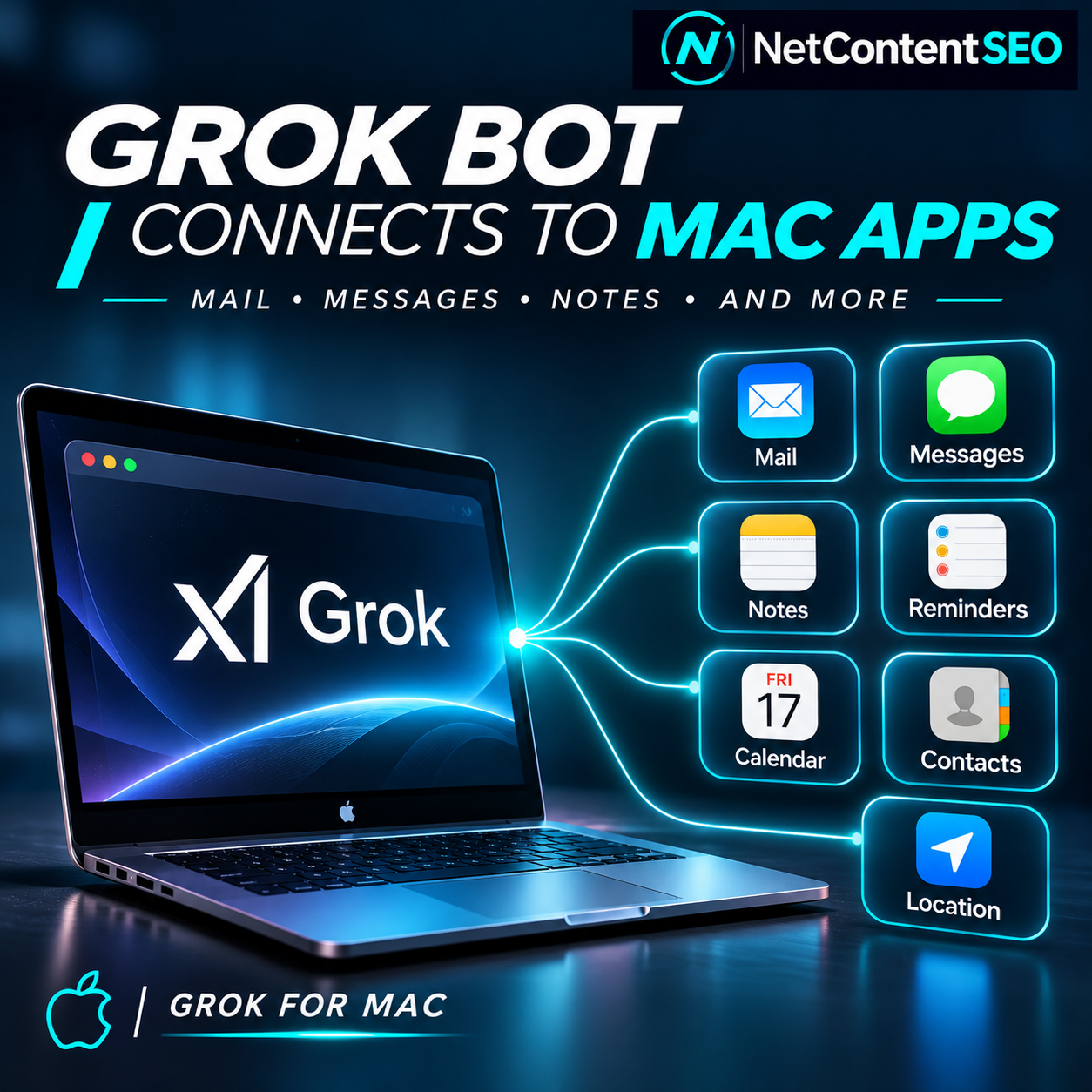
Grok Bot for Mac can now connect to seven categories of Apple data and services: Messages, Mail, Notes, Reminders, Calendar, Contacts and Location. Announced on November 12, 2026, the expansion turns the desktop assistant into a more practical agent for retrieving personal context and carrying out everyday tasks. It also highlights a shift that matters to AI Search: assistants are moving from answering questions toward taking actions across the software people already use.
The update was reported by The Mac Observer and 9to5Mac, which cited the Grok Bot account's November 12 announcement. The announcement establishes the availability of the new integrations on Mac; it does not establish that every user has enabled them, that they work identically across all versions of macOS or that all agent actions occur without user review.
What can Grok Bot access on a Mac?
The integrations cover six Apple apps plus location services. Each has a distinct practical role:
- Messages: read conversations and send messages, subject to access and permissions.
- Mail: search existing emails and prepare drafts.
- Notes: read, create and modify notes.
- Reminders: create tasks and inspect existing reminders.
- Calendar: retrieve scheduling information and support calendar workflows.
- Contacts: find people and add contact records.
- Location: support nearby-place searches using permitted location information.
That combination is more consequential than a standalone chat window. An assistant that can consult a message thread, check a calendar, prepare an email and create a reminder can help coordinate a workflow without the user manually copying information between apps. Actual capabilities still depend on the specific connector and its authorization.
How to enable the integrations
According to reporting on the update, users can open Grok Bot's Connect Apps interface on macOS and choose which Apple integrations to authorize. The app displays individual Allow controls, rather than treating every source as a single all-or-nothing connection. The official Grok Bot documentation for connecting apps also explains the broader app-connection workflow.
- Install or update Grok Bot for Mac from the official product download.
- Sign in with the account that has access to Grok Bot.
- Open Connect Apps and locate the supported Apple integrations.
- Enable only the apps needed for a specific workflow.
- Approve any additional macOS permission requests and review the scope of access.
- Test with a low-risk task, such as finding a note or drafting an email, before allowing an agent to send messages or change important records.
Apple app availability and permission prompts may vary by software version and account. The announcement does not provide a comprehensive independent security audit of the integrations.
Why this is an agentic AI development, not just another app integration
Traditional chatbots answer prompts using the information supplied to them or retrieved from available sources. A connected agent can instead combine context with action. For example, a user might ask it to locate an appointment discussed in a message, check whether the calendar is free and prepare a follow-up note. That workflow requires access to different applications and some ability to coordinate their data.
Grok Bot's broader design already emphasizes agents working on cloud computers, scheduled routines and app connections. Its official getting-started documentation describes bots that can continue tasks and repeat workflows. The new Mac integrations add another set of data sources and possible actions, although it is important not to confuse access to local Mac applications with unrestricted control over the entire computer.
What does this change for SEO and AI Search?
There is no confirmed Google ranking change or new search-ranking signal associated with this release. The relevance to SEO is strategic and indirect: as assistants gain access to calendars, communications, contacts and location, more user journeys may be completed through an agent rather than through a sequence of conventional search pages.
Consider a user who wants to book a service. A traditional journey might involve searching Google, comparing providers, visiting websites, contacting a business and adding an appointment to a calendar. An agent with the right permissions and tools could eventually coordinate several of those steps in one interaction. The Grok Bot Mac announcement alone does not demonstrate that it can autonomously book every service or that it favors any particular business directory. Those outcomes require separate evidence.
Discovery may become part of a larger workflow
For publishers and businesses, the practical question is not only whether an AI assistant cites a webpage. It is whether the assistant can discover reliable information, understand the offer, identify a valid next step and complete the user's task. A business that clearly publishes its services, operating hours, location, booking conditions and contact methods may be easier for both humans and software to evaluate.
This is a reason to prioritize factual consistency and actionable content, not a reason to claim that adding a particular schema type guarantees agent selection. Structured data can help machines interpret some page information, but support varies by platform and no universal Grok Bot business-selection specification has been established by this update.
Local search implications: location meets contacts and calendars
Location access is especially relevant to local discovery. If a user asks for a nearby service, an assistant may be able to incorporate permitted location context into the request. Calendar and contacts access could help with planning or contacting a provider once one has been selected.
However, the existence of a Location connector does not prove that Grok Bot ranks nearby businesses differently from traditional search engines. There is no published evidence in this announcement showing a new local ranking algorithm, a specific business data source or measurable changes in referral traffic.
How businesses can prepare without chasing speculative GEO tactics
- Make services explicit: publish what is offered, who it is for, geographic coverage and relevant limitations.
- Keep business information consistent: maintain accurate addresses, contact details, opening hours and booking URLs on official properties.
- Explain the transaction: specify pricing when available, availability rules, cancellation terms and how a booking or inquiry is completed.
- Maintain accessible pages: ensure important information is available in crawlable HTML, not only inside images or inaccessible widgets.
- Document changes: update dates, service availability and terms so stale descriptions do not circulate.
- Test actual workflows: ask different assistants to locate the business and explain how to contact or book it; record results as observational tests, not guaranteed rankings.
- Measure outcomes separately: distinguish AI mentions, citations, website visits, inquiries and completed transactions.
Privacy and permission risks are part of the story
Mail, Messages, Contacts and Notes contain sensitive personal and sometimes professional information. Granting an assistant access to those sources introduces questions about what data it can read, what it can modify, how permissions are enforced and whether actions require approval. Users should evaluate those questions before connecting a primary inbox or personal message history.
Separate authorization controls are helpful, but a permission button is not itself a guarantee about data retention, third-party processing or protection against prompt-injection attacks. An email or message can contain instructions that are untrusted even when the message appears in a connected app. Agents should treat retrieved content as task data, not as automatic authority to perform unrelated actions.
For high-impact workflows, use the narrowest permissions available, review outgoing communications and verify that the product's documented privacy and security policies match the intended use.
What is confirmed, and what remains unproven?
| Claim | Status |
|---|---|
| Grok Bot announced Apple app integrations for Mac on November 12, 2026. | Confirmed by contemporaneous reporting citing the product announcement. |
| The integrations cover Messages, Mail, Notes, Reminders, Calendar, Contacts and Location. | Confirmed. |
| Users can choose which integrations to allow. | Reported from the Connect Apps interface. |
| All actions happen without user confirmation. | Not established. |
| The release changes Google or Bing rankings. | Not established. |
| Grok Bot now sends measurable new traffic to websites. | No supporting traffic dataset in the announcement. |
| Every local business can be discovered and booked through the agent. | Not established. |
Frequently asked questions
Which Apple apps can Grok Bot for Mac use?
Messages, Mail, Notes, Reminders, Calendar and Contacts, plus location services.
Can Grok Bot send iMessages?
Reporting on the new integration describes the ability to read and send messages, subject to authorization. Users should verify prompts and confirmations before enabling outgoing actions.
Can it send emails?
The reported Apple Mail integration supports searching email and preparing drafts. The announcement should not be interpreted as proof that the connector can autonomously send every email without further authorization.
Does Grok Bot require a Mac?
The product also has other supported platforms, but these newly announced Apple app integrations specifically concern macOS.
How do I connect Apple apps?
Update Grok Bot, open Connect Apps, select the desired integration and approve the required permissions.
Does this improve SEO rankings?
No direct ranking effect has been demonstrated. The broader relevance is how connected agents might change discovery and task completion.
Will Grok Bot automatically recommend my business?
There is no such guarantee. Maintain accurate public information and evaluate actual discovery results rather than assuming inclusion.
Is connecting Messages or Mail risk-free?
No. Review privacy terms, permissions and approval requirements, particularly for sensitive communications.
Is this the same as the Grok chatbot on X?
No. Grok Bot is a connected agent product with its own desktop workflow, app integrations and cloud-computer capabilities. Brand similarities should not be used to assume identical features or permissions across products.
The larger shift: from answers to completed tasks
Grok Bot's Mac update is a practical example of AI agents becoming embedded in everyday workflows. The immediate value is personal productivity: searching mail, handling messages, managing notes and coordinating schedules. The longer-term implication for AI Search is that visibility may matter at the point where an agent chooses a source or service, even when the user never opens a traditional results page.
That remains a direction to investigate, not a measured traffic shift attributable to this launch. For SEO and GEO teams, the defensible response is to make business information accurate and actionable, monitor how agents discover it and avoid confusing technical integration announcements with proven changes in search visibility.
Sources
- The Mac Observer — Grok Bot for Mac Now Connects to Apple Mail, Messages, Notes, and More, November 13, 2026.
- 9to5Mac — Grok Bot for Mac adds integration with Apple Mail, Messages, Notes, and more, November 12, 2026.
- Official Grok Bot documentation — Get started.
- Official Grok Bot documentation — Use the computer and apps.