

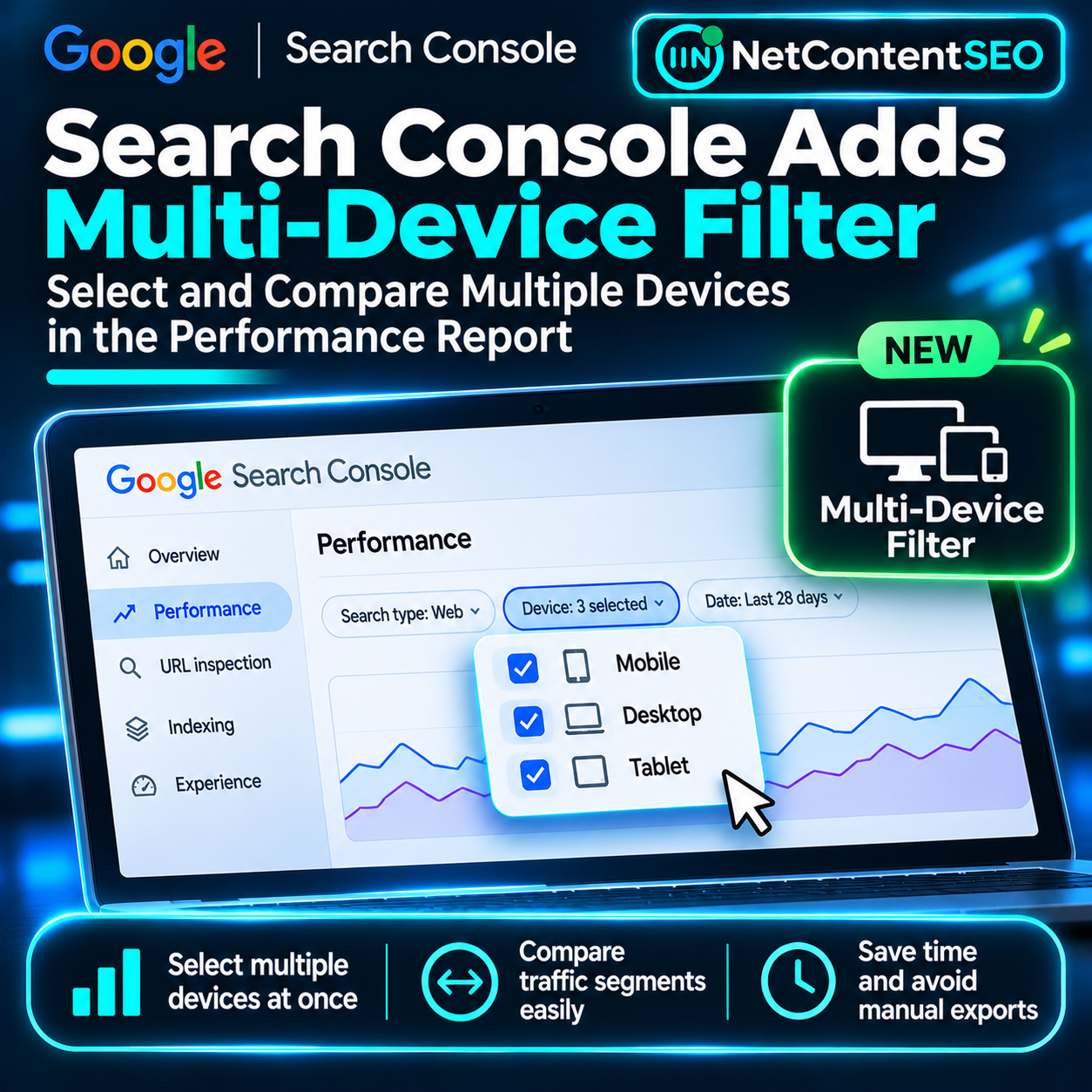

Google Search Console is making one of its most-used reports more flexible. As reported by Barry Schwartz on November 4, 2026, the Performance report now supports selecting multiple device types within a single filter. Rather than examining Mobile, Desktop and Tablet individually—or exporting data to combine selected segments—site owners can view aggregated performance for more than one device directly in the interface.
The update follows October's introduction of multi-select country filtering. Google's advanced filtering and comparison documentation now explicitly describes selecting multiple devices or countries to see their combined data. This is a reporting interface improvement, not a Google ranking update or a change to how Google classifies devices.
What changed in the Performance report?
Previously, a Device filter generally limited users to one selected type at a time. Teams looking for the combined performance of Mobile and Tablet, for example, had to work around that limitation with exports or external reporting tools. The revised filter allows more than one device category to be checked simultaneously, making it possible to inspect clicks, impressions, click-through rate and average position for the selected group in one view.
Search Console's device categories include Mobile, Desktop and Tablet. Users can now select any relevant combination within the filter and apply the same date range, search type, query or page restrictions to that aggregate. The October country update followed a similar pattern: a user could select several countries and see their combined search traffic.
Multi-select filtering is not the same as comparison
This distinction matters because the interface serves two different analytical questions. Filter combines the data from selected devices into one result set. Selecting Mobile and Tablet gives an aggregate view for those device categories. Compare, by contrast, places two values side by side to expose differences in their metrics.
If the question is “How did non-desktop traffic perform overall?”, multi-select filtering is the appropriate tool. If the question is “Did Mobile CTR fall while Desktop CTR improved?”, the Compare function or the Device dimension breakdown is more useful. Google documents that only one comparison can be active at a time, and a new comparison replaces the previous one.
It would therefore be misleading to say that selecting all three devices produces three independently comparable columns. The main new capability is flexible aggregation, not unlimited side-by-side comparison.
Why this matters for technical SEO
Device-specific performance can be a critical diagnostic signal. A responsive website may use one set of URLs for all visitors, but its organic search performance can still differ substantially by device because of query behavior, SERP presentation, competition and user expectations.
For example, an editorial publisher could combine Mobile and Tablet to evaluate its broader portable-device audience without mixing in Desktop. An ecommerce team might analyze Mobile plus Desktop while excluding a small Tablet segment for a particular business report. An international site can combine device selection with the Country filter to isolate meaningful market-and-device groups.
These are analytical conveniences rather than new data sources. Search Console already collected device-level performance; the update changes how those existing observations can be grouped in the interface.
Three useful workflows for SEO teams
Assess combined mobile-oriented performance. Select Mobile and Tablet, keep the date range constant and inspect total clicks, impressions and CTR. Compare the trend with site changes such as navigation updates, template redesigns or shifts in mobile search demand. Avoid attributing a change to technical performance without corroborating evidence.
Analyze market segments. Use the Country filter to select several relevant markets, then choose one or more devices. For example, a publisher operating in English-speaking markets might inspect Mobile and Tablet performance for selected countries. This reduces the need to export separate country-device slices simply to see their combined trend.
Investigate page groups. Apply a Page filter or supported regular expression to isolate a directory or template, then select the devices of interest. A large website could inspect whether a product-category section behaves differently on portable devices without changing the overall property view.
How to use the new filter
Open the Google Search Console Performance report for Search results and select the Device filter. In the filtering view, choose the device categories you want to include and apply the selection. Search Console then shows the combined performance for that group under the other active filters. The exact placement and wording of controls may vary as interface updates roll out.
For a direct comparison between Mobile and Desktop, open the same filter and switch to the Compare option. The report then displays the metrics for the two selected values and their differences, according to Google's comparison rules.
Important reporting caveats
Combining device categories can change how a metric should be interpreted. Clicks and impressions are additive counts across the selected data. CTR should be understood as total clicks divided by total impressions for the combined group, not the arithmetic average of each device's CTR. Average position is also aggregated according to Google's metric definitions rather than simply averaging the visible positions from separate filtered reports.
Search Console can also omit anonymized queries and truncate some data in its interface, especially when filtering by query or URL. Google warns that totals may differ when certain filters or dimensions are applied. Analysts should preserve filter definitions, date ranges and search types when comparing exported reports or dashboard snapshots.
Finally, a device filter does not measure Core Web Vitals, mobile usability or rendering quality directly. It measures search performance segmented by device. Diagnosing user-experience or technical problems still requires the appropriate performance, crawling and rendering evidence.
Does this change SEO rankings or AI Search reporting?
No ranking-system change has been established by this release. Google is expanding reporting controls, not announcing a device-specific algorithm adjustment. A movement in filtered clicks or impressions after enabling the feature should be investigated as a data trend, not automatically interpreted as an update caused by the new interface.
The announcement also does not introduce a dedicated device breakdown for AI Mode or AI Overviews citations. Search Console's existing reporting scope and limitations remain separate from this filter enhancement. Teams monitoring GEO or AI visibility should not infer new citation metrics from a change to standard Search performance filters.
Why a small interface change is valuable
SEO reporting often depends on combinations of dimensions rather than isolated totals. Country, device, page type and date can each reveal a different pattern. Allowing multiple values within a dimension reduces repetitive exports and makes routine investigation faster for publishers, ecommerce sites and international businesses.
The feature will not replace detailed analysis in the Search Console API, BigQuery exports or a business intelligence platform. It does, however, make an important class of everyday questions answerable without leaving Search Console.
The takeaway
Google Search Console's new multi-device filter is a practical improvement for anyone working with segmented search data. Users can now group Mobile, Desktop and Tablet in the combinations that matter to their reporting, just as they can select multiple countries. Use multi-select to see combined performance; use Compare when you need to measure the difference between devices. The distinction keeps reporting accurate and prevents a useful UI update from being mistaken for a change in search behavior.
Sources
- Search Engine Roundtable, Barry Schwartz, “Google Search Console Performance Report Multi-Select Device Filters,” November 4, 2026
- Google Search Console Help: Performance report advanced filtering and comparison
- Search Engine Roundtable, multi-select country filters, October 6, 2026
- Search Engine Land, multi-select country filtering, October 6, 2026