
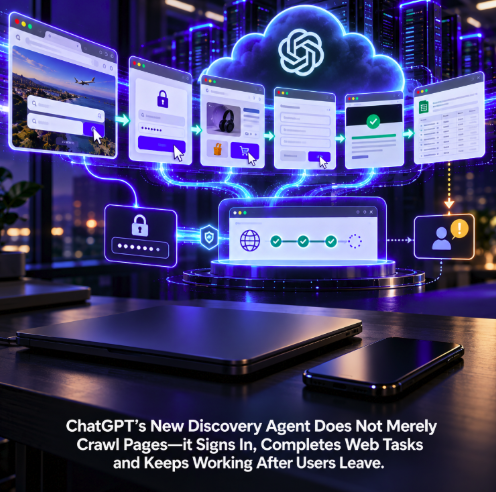
ChatGPT’s web-discovery layer is moving beyond finding and reading pages. OpenAI now documents a Cloud Browser for ChatGPT Work that can navigate supported websites, click controls, enter information into forms, operate on authenticated sites and continue working remotely after the user leaves the conversation or turns off the local device.
The capability is described in OpenAI’s official Cloud Browser documentation. The current Help Center page does not provide a precise public launch date, so the safest description is that the feature is now rolling out rather than attaching the September 27 detection date to the release itself. OpenAI says availability can vary during rollout and depends on supported regions and workspace permissions.
The architectural shift matters for publishers because this is not simply another crawler. A crawler generally requests documents so they can be indexed, analyzed or retrieved later. ChatGPT Work’s browser can use the interface of a website as part of a delegated task. Discovery can therefore become execution: find the relevant service, open it, sign in when necessary, fill out the workflow and advance the task until a human decision is required.
The browser runs on a separate computer in the cloud
OpenAI says Cloud Browser gives ChatGPT Work its own browser on a separate cloud computer. It can read webpages, click buttons, enter information into forms and perform steps on supported public and signed-in websites.
That remote execution model separates the task from the user’s local machine. A person can start a Work task from the web or mobile app, leave the conversation and close the computer. The browser can keep running in the background because the active session exists in OpenAI’s cloud environment rather than inside the user’s ordinary local browser.
The task is not indefinitely autonomous. OpenAI says execution pauses when ChatGPT needs information, a sign-in or a confirmation from the user. Some sites or transactions may also block automation or require the user to take over and complete a final step personally.
Authenticated websites become part of the agent’s working environment
The most consequential capability is authenticated browsing. Cloud Browser maintains its own sessions rather than inheriting accounts already logged into the user’s laptop or phone. When authentication is needed, the user signs in separately to the cloud browser.
OpenAI provides a secure login form for credentials and supports authentication steps such as two-factor verification. The documentation says sensitive login information entered through the secure form is sent directly to the browser and is not exposed to the model. This creates a deliberate separation between the agent reasoning about the task and the credential-handling path used to establish the browser session.
Once established, a cloud-browser session can remain signed in for later tasks until the session expires or the user clears its site data. Clearing a site’s data signs the browser out and requires a new login for subsequent authenticated work.
Discovery can now end with a completed workflow rather than a recommendation
OpenAI’s examples make the difference from conventional search concrete. Work can check restaurant availability or request quotes, find flights that fit a schedule, compare local product stock, track a package using account information, locate a DMV appointment, compare service-provider rates, save apartment listings or reconcile invoices inside accounting software.
Those tasks begin with information retrieval but do not necessarily end there. The agent may need to move through navigation menus, search forms, account pages, filters and multi-step interfaces. The website becomes an executable environment rather than merely a source to cite in an answer.
This changes what “AI visibility” can mean for businesses. Being retrievable remains valuable, but an agent trying to accomplish a task also needs to be able to use the destination. A company can be discoverable in an AI answer yet still fail the user if its booking flow, account system or checkout cannot be operated reliably by an autonomous browser.
ChatGPT Work decides when the browser is the right tool
Users do not normally need to select Cloud Browser as a separate browsing mode. OpenAI says they describe the outcome they want in ChatGPT Work, and the system can decide whether to use a connected app, a plugin, Cloud Browser or a combination of those capabilities.
That turns the browser into an execution layer behind a higher-level agent. The user specifies the objective; Work chooses how to accomplish it. A structured integration may be preferable when a connected service can perform the task directly, while the browser provides a path for supported workflows that still live primarily in a graphical website.
This architecture is consistent with OpenAI’s broader reorganization of agentic functionality. NetContentSEO previously reported that OpenAI moved long-running delegated work into ChatGPT Work while Cloud Browser became the website-execution layer. The new documentation makes the operational consequences of that split much clearer.
Background execution changes the temporal model of web traffic
Traditional web traffic is tightly coupled to an active human session. A user searches, clicks, browses and eventually leaves. A cloud agent can operate on a different timeline. The user can delegate a task, disappear and return after the browser has spent time checking pages, comparing options or progressing through a workflow.
For analytics teams, this raises new questions about how agentic visits should be interpreted. A browser session may be genuinely initiated by a human but executed largely by software. Page sequences, dwell times and interaction patterns can consequently look different from conventional human browsing even when the underlying commercial intent is real.
The important distinction is that agent traffic is not automatically equivalent to low-value bot traffic. An authenticated Cloud Browser visit could represent a user actively trying to compare a plan, find an appointment or complete a business process. Blocking it indiscriminately may prevent a legitimate delegated task from reaching completion.
OpenAI gives site operators a way to authenticate Cloud Browser traffic
OpenAI separately documents Cloud Browser allowlisting for website operators. The browser uses Web Bot Auth and HTTP Message Signatures so sites can cryptographically verify that outbound requests originate from ChatGPT rather than relying only on a user-agent string or an IP list.
According to OpenAI, requests include Signature, Signature-Input and a Signature-Agent header identifying ChatGPT. Site infrastructure can retrieve the corresponding public key, validate the signature and decide whether verified Cloud Browser traffic should be allowed through CDN, firewall or edge controls.
This is a significant difference from the classic crawler-control model. Search crawlers typically raise questions about whether content should be fetched and indexed. An agentic browser raises a second question: whether a verified machine acting on behalf of a user should be allowed to interact with the application itself.
Agent accessibility is becoming distinct from crawl accessibility
A website can be perfectly crawlable and still be difficult for an autonomous browser to use. Cookie overlays can obstruct controls. Critical actions can depend on unusual client-side interactions. Authentication may fail in remote environments. Anti-bot systems can challenge legitimate automated sessions. Forms may expose poor labels or unpredictable state changes.
Conversely, a website can intentionally restrict bulk crawling while allowing verified agent traffic for transactional workflows. The two access policies do not have to be identical because the use cases are different.
NetContentSEO examined the same emerging distinction with Meta Muse and the shift from crawler discovery to autonomous-browser usability. ChatGPT Work now gives the trend another major implementation: the machine discovering a business may also become the machine attempting to use it.
Login security is designed around keeping credentials out of the model context
Authenticated agent browsing creates an obvious security problem. If an AI system needs access to an account, credentials should not become ordinary conversational context that can be reasoned over, repeated or exposed to untrusted webpage content.
OpenAI’s secure sign-in design addresses that boundary by routing credentials directly to the browser rather than making them visible to the model. The user still needs to complete required authentication steps, and the browser can pause when additional login input is needed.
That does not eliminate the wider risks of browser automation. OpenAI cautions that support varies by site and action, and users may need to review confirmations or take over. Websites themselves can contain malicious or misleading instructions, while transactions may involve consequences that warrant explicit human approval.
The design therefore combines autonomous progression with interruption points. The useful mental model is not a browser that has unlimited authority, but a remote worker that can proceed through supported low-risk steps and stop when the system requires human information or confirmation.
The built-in desktop browser serves a different purpose
OpenAI also offers a browser inside the ChatGPT desktop app, but it should not be confused with Cloud Browser. The desktop built-in browser runs inside the application, where the user and ChatGPT can inspect and work with the same pages and tabs.
Cloud Browser is remote. Its defining advantage is delegated execution that can continue when the user’s own device is no longer participating. That makes it better suited to longer-running Work tasks where the desired outcome matters more than watching every browser action live.
The distinction also matters for publishers analyzing traffic. A cloud agent and a user-supervised desktop browser can both originate from ChatGPT but represent different interaction models, security boundaries and levels of autonomy.
The feature is limited to eligible paid plans and supported workspaces
OpenAI says Cloud Browser is available in ChatGPT Work on paid ChatGPT plans in supported regions, excluding Free and Go. Availability can vary during rollout and can depend on workspace permissions.
That means the feature should not yet be treated as a capability available to every ChatGPT user. Enterprise controls, regional availability and plan eligibility can all affect whether Work can invoke the remote browser.
The current Help Center page also does not expose a clean release date corresponding to the September 27 discovery of the feature. It is therefore more accurate to describe Cloud Browser as an official capability currently documented and rolling out than to claim that September 27 itself was launch day.
Websites now have to optimize for completion, not merely retrieval
For SEO and AI-discovery teams, the strategic implication extends beyond OpenAI. Search optimization historically focused on helping machines discover, understand and rank content. Generative-engine optimization added another layer: make information retrievable and useful enough to support an AI answer.
Browser agents add a third layer. After a service is discovered and selected, can the agent actually complete the task the user delegated?
A hotel can have excellent structured data yet present a booking interface an autonomous browser cannot navigate. A retailer can be heavily cited but block verified agent sessions at the firewall. A SaaS product can rank for the right problem but hide essential pricing or signup steps behind UI patterns that fail under automated interaction.
Those are no longer purely UX problems. As AI systems increasingly mediate discovery and execution, machine-operable interfaces can affect whether discovery turns into an outcome.
ChatGPT’s browser is turning AI discovery into delegated action
Cloud Browser does not make every website fully autonomous or every transaction executable. OpenAI explicitly notes that sites can block automated access, authentication or transaction steps may be unsupported, and some actions require user takeover or final confirmation.
But the boundary has moved. ChatGPT Work can use a remote browser, maintain its own authenticated sessions, navigate and fill forms, keep working after the user closes the device, and pause only when additional human input is required.
For publishers and businesses, that changes the question from “Can an AI find my page?” to “Can an AI use my service once it finds me?” Crawling, retrieval and citation remain important, but they are no longer the end of the machine journey.
The next discovery layer can click.