
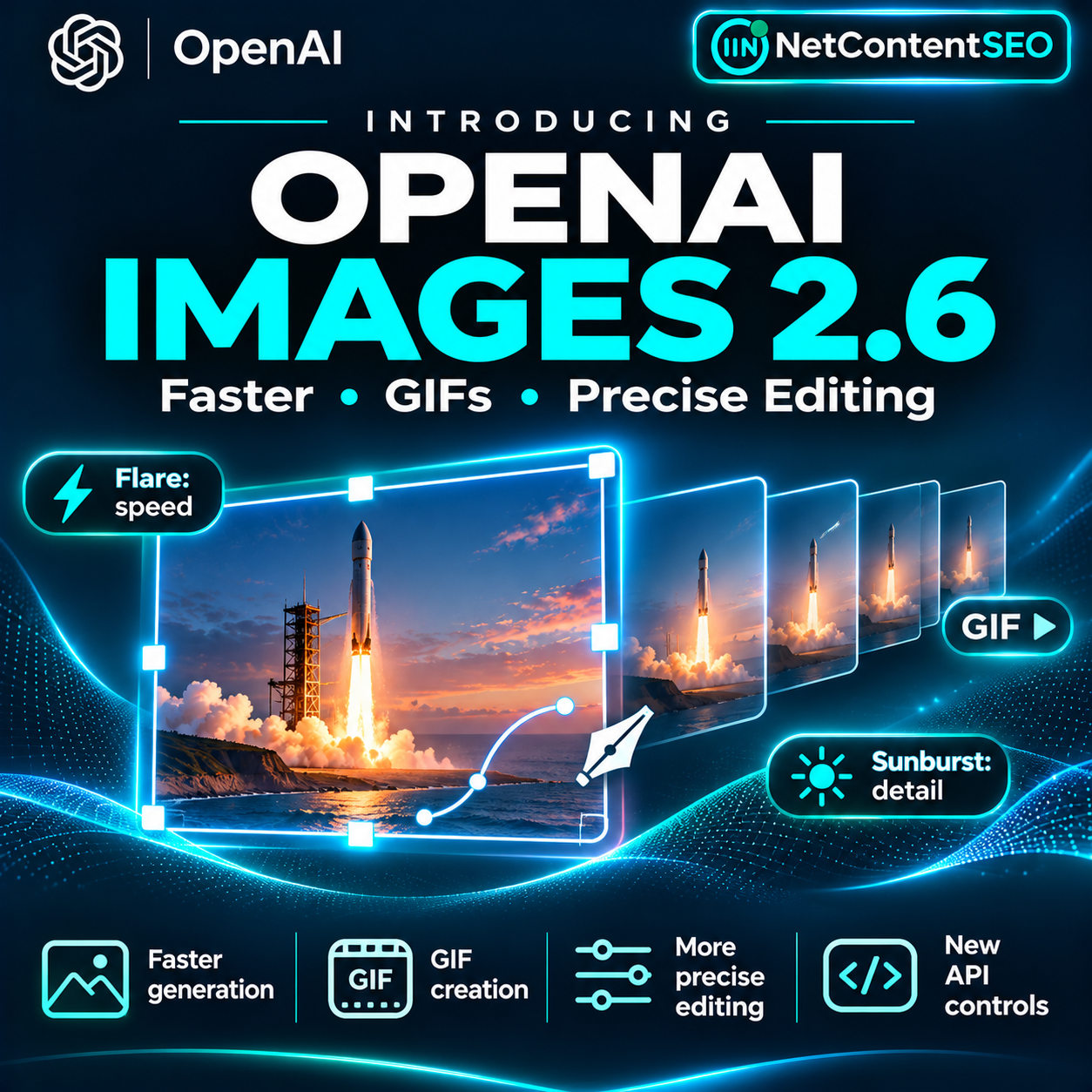

November 5, 2026. OpenAI has released Images 2.6, bringing faster image generation, animated GIFs, more reliable visual editing and additional developer controls to ChatGPT, Codex and the API. The November 4 announcement says image generation is 50% faster than before and introduces two API model variants: GPT-Image-2.6 Flare for rapid iteration and GPT-Image-2.6 Sunburst for higher-fidelity output and stronger consistency across edits.
For marketers, ecommerce teams and publishers, the most consequential change is not just producing a picture sooner. It is the possibility of refining the same branded asset repeatedly, turning static concepts into short animated loops, and exporting designs for other workflows without rebuilding them from scratch. This guide separates the confirmed features from rollout caveats, explains the API controls and outlines practical production checks.
What is new in OpenAI Images 2.6?
According to OpenAI's November 4 release announcement, the headline changes are faster generation, better preservation of characters and products through multiple editing rounds, native GIF creation, image markup in the API, SVG exports and a configurable complexity parameter. OpenAI says people create four billion images per week across ChatGPT, Codex and the API, an indication of the scale at which these improvements may affect creative workflows.
The company reports a 50% speed improvement relative to the previous generation. Its Flare model, at low quality, can generate an image in as little as six seconds. That is a best-case example under specified settings, not a guaranteed latency for every prompt, resolution or workload. Large scenes, repeated edits and higher-quality settings can take longer.
Flare vs Sunburst: which model should you choose?
| Need | Flare | Sunburst |
|---|---|---|
| Main positioning | Fast generation and iteration | Detailed output and stronger edit consistency |
| Recommended workflow | Early concepts, many alternatives, quick revisions | Final branded assets, product details, precise edits |
| Typical quality setting | Low for speed; adjust as needed | Medium or high for detail |
| GIF and editing capabilities | Part of the Images 2.6 family | Part of the Images 2.6 family |
| Guaranteed winner? | No; test output quality and cost | No; test quality, time and consistency |
Flare is a sensible starting point when a designer needs ten headline concepts or variations of a promotional image. Sunburst is more appropriate when a product's exact shape, a character's outfit or established brand details need to survive multiple edits. OpenAI's positioning supports these recommendations; it does not mean Flare always produces poor detail or Sunburst is necessarily better for every scene.
How does GIF generation work?
Images 2.6 can create animated GIFs, including loops based on a text prompt or an uploaded drawing. OpenAI demonstrates this with a sequence of character poses assembled into a consistent sprite sheet. Potential applications include animated mascots, reaction GIFs, social media loops and visual storyboards for creative teams.
The ChatGPT release notes say GIF creation is rolling out, and users can adjust playback speed and share the result. This matters because the wider Images 2.6 model release is announced as globally available, while an individual GIF control may not appear for every user at the same moment. Users should check their current ChatGPT image tools rather than assume that a missing option means their subscription is unsupported.
For a smooth loop, specify the subject, background, number of frames, sequence of movement and whether the first and last poses should connect. Keep the camera and key visual details fixed across frames. An animation may still need manual review for jumping objects, shifting proportions, unwanted flicker or inconsistent text.
More precise editing: markup and consistency
OpenAI says Images 2.6 improves preservation of products, characters and brand features during edits. It also brings image markup—already offered in ChatGPT—to the API, so developers can point to the area that should change instead of relying only on a general text instruction.
Consider a retailer replacing a product-photo background. A useful edit request would say: “Replace only the background with a neutral studio setting. Preserve the exact product silhouette, label placement, color and texture.” Markup can indicate the target region. The result still requires inspection: AI editing is not a guarantee of pixel-perfect preservation, and commercial imagery should be checked against the real product before publication.
For a recurring editorial cover, the same principle applies. Save the approved logo and typography separately where possible, use a consistent visual reference, and check that edits do not alter important brand identifiers or introduce unsupported claims.
SVG export and the new complexity control
OpenAI says the API now supports SVG output, making some generated designs easier to use in web, app and print workflows. SVG is a scalable vector format, but teams should inspect the exported paths, text handling, file size and browser compatibility rather than assuming every generated asset will be cleanly editable in a professional design application.
The new complexity parameter controls how much planning the model applies to the generation or edit. OpenAI recommends low complexity for most quick edits, paired with the image quality needed for the job. Medium or high complexity may be appropriate for scenes with many objects or constraints. Quality controls visual fidelity and detail; complexity controls the work devoted to satisfying the request. They should not be treated as synonyms.
For an API integration, confirm the currently supported parameter values, response format and endpoint in the official model documentation and image generation guide. Do not copy guessed JSON field names from a screenshot or third-party tutorial into production code.
Availability: ChatGPT, Codex and API
OpenAI says Images 2.6 is available globally across ChatGPT and Codex subscription tiers on desktop, web and mobile. Both GPT-Image-2.6 Flare and Sunburst are listed as API models. Feature-level availability can differ during a rollout: the ChatGPT release notes specifically describe GIF creation as rolling out.
API access also depends on the account's applicable limits and the model endpoints it can use. Check the official model catalogue and your account's limits before committing to a delivery date. The fact that a model is announced does not guarantee every organization has identical throughput or immediate access to every related UI feature.
How much does Images 2.6 cost?
OpenAI publishes token-based API pricing, and image-generation cost depends on the model, quality, dimensions, inputs and generated output. The official Flare model page lists $5 per million text input tokens, $1.25 per million cached text input tokens, $8 per million image input tokens, $2 per million cached image input tokens and $30 per million image output tokens at the time of review.
These are token rates, not a flat price per finished image. A production cost estimate needs actual metered token usage or the provider's current per-image examples. Sunburst has its own published pricing; do not assume it matches Flare. The official pricing page should be rechecked because rates and supported output settings can change.
For an editorial workflow, calculate the cost of the entire approved asset: initial generation, discarded variants, edits, GIF revisions, storage, human review and any separate design work. An image that costs less to generate but needs many failed revisions may be more expensive than a higher-quality first pass.
Practical workflow: create a consistent branded campaign
Step 1: Define the asset. Specify the channel, aspect ratio, text requirements, brand colors, approved logos, intended audience and prohibited visual claims. For a product image, identify which physical attributes must remain accurate.
Step 2: Explore concepts quickly. Use Flare for a small batch of layouts. Judge composition, legibility and relevance before spending time on high-fidelity output.
Step 3: Refine the strongest candidate. Use a detailed reference and, where supported, image markup to edit a specific area. Consider Sunburst with medium or high quality when maintaining product or character details is important.
Step 4: Check the result. Inspect typography, logos, hands, labels, product geometry, cultural context and factual claims. Verify that a visual does not look like a real screenshot of a service when it is only a concept.
Step 5: Add motion only when useful. For a social loop, specify the animation sequence and test whether it loops cleanly. Avoid moving text that becomes unreadable on a small screen.
Step 6: Export and publish responsibly. Choose the correct static, animated or SVG format, preserve appropriate provenance information, add meaningful alt text to static assets and test file size and rendering on target devices.
Step 7: Measure outcomes. Compare production time, revision count, approval rate, creative performance and accessibility—not just the number of images generated.
What does this mean for SEO and AI Search?
Images 2.6 does not announce a change to Google image ranking, crawling, indexing or AI Search citations. Its relevance to SEO is operational: teams can create more accurate supporting visuals, update editorial imagery faster and produce consistent product or brand assets across channels.
Search visibility still depends on the surrounding page and its usefulness. Use descriptive filenames and alt text where appropriate, place images near relevant content, optimize dimensions and compression, and avoid embedding essential article information only in an image. SVG and GIF output also require attention to accessibility, fallback behavior and performance.
For ecommerce, visual consistency is especially important. AI-generated product scenes should not imply features, sizes or packaging that differ from the actual item. For publishers, diagrams and illustrations should communicate verified information, not manufacture screenshots or data.
Safety, provenance and limitations
OpenAI published a Images 2.6 system card covering safety evaluations and the new risks introduced by animation. The company describes safeguards for GIF content that may communicate harmful meaning through motion, as well as continued use of C2PA metadata and invisible SynthID watermarking as complementary provenance signals.
The system card reports that a targeted GIF moderation evaluation achieved 77.66% recall on 310 policy-violating examples when the generation caption and frame grid were analyzed. That figure measures a specific evaluation set, not the prevalence of harmful outputs in production or a guarantee that all violations are caught.
Generated images can still contain factual errors, inaccurate text, distorted details or inconsistent motion. A provenance marker can help identify supported generation history, but it does not prove that the depicted event happened. Businesses should keep human approval for high-stakes, regulated or brand-sensitive material.
Frequently asked questions
Is Images 2.6 available in ChatGPT?
OpenAI announced global availability across ChatGPT subscription tiers, but individual features such as GIF creation may still be rolling out. Check the current tools in your account.
Can ChatGPT make GIFs now?
Yes, GIF generation is part of Images 2.6. OpenAI's release notes describe a staged rollout, so access to the control may vary temporarily.
What is the difference between Flare and Sunburst?
Flare prioritizes rapid image generation and edits. Sunburst is positioned for higher detail and consistency, especially at medium or high quality. Test both for your actual requirements.
Does “50% faster” mean every image takes half the time?
No. It is OpenAI's stated overall generation-speed improvement. Actual latency varies by model, quality, complexity and workload; six seconds is a best-case Flare example at low quality.
Can Images 2.6 export SVG?
OpenAI says SVG output is supported through the API. Review the generated file before relying on it as a production-ready vector asset.
How do I make precise changes to an existing image?
Use a reference image, specify exactly what should change and what must remain untouched, and use markup-guided editing where supported. Review the output for unintended changes.
Does this update improve image SEO rankings?
No ranking improvement is announced. It can improve asset-production workflows, but SEO performance still requires relevant content, accessible markup and technical optimization.
The takeaway
Images 2.6 turns image generation into a more complete creative workflow: faster concept development, targeted edits, consistent assets, GIF loops and developer-oriented export and control options. The practical choice is to use Flare for speed, Sunburst for demanding visual fidelity, and independent quality checks before publishing.
The strategic advantage is not generating unlimited images. It is producing the right visual with fewer revisions, maintaining brand accuracy and making the result usable across the channels where audiences actually encounter it.
Sources
- OpenAI, Introducing Images 2.6, November 4, 2026 — primary release announcement.
- OpenAI, ChatGPT release notes, November 4, 2026 — GIF rollout and saved reference image information.
- OpenAI API, GPT-Image-2.6 Flare model — model and token pricing.
- OpenAI API model catalogue — Flare and Sunburst availability.
- OpenAI Images 2.6 system card — safety evaluations, GIF safeguards and provenance.