

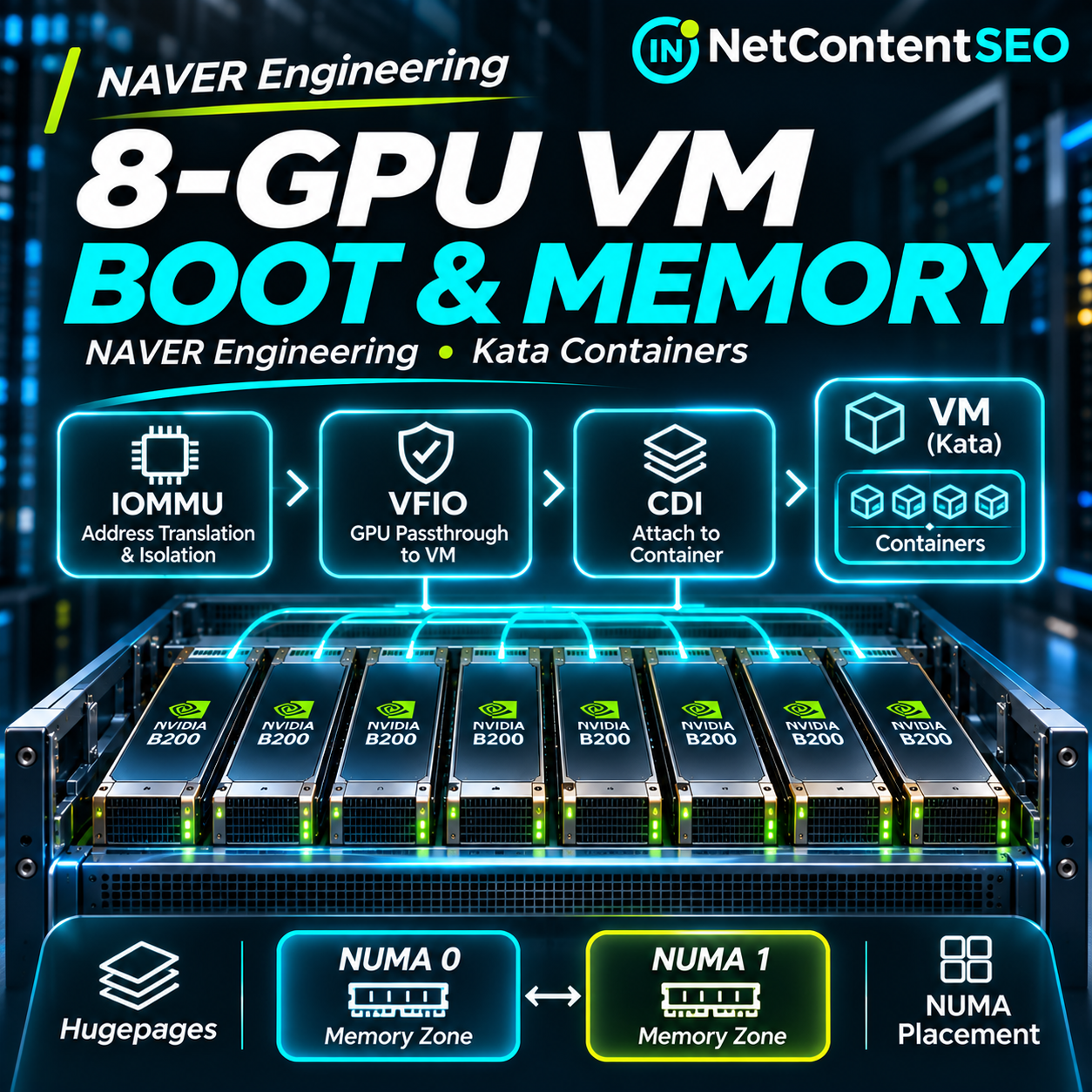

Passing one GPU into a virtual machine is manageable. Passing eight NVIDIA B200 GPUs into one Kata Containers VM—while preserving memory isolation, boot reliability and NUMA locality—is a different engineering challenge. In part two of its four-part infrastructure series, NAVER describes how its cloud team moved from a working single-GPU setup to an eight-GPU guest that initially failed to become ready within Kubernetes' sandbox creation timeout. The solution required coordinated changes across PCIe isolation, VFIO passthrough, GPU BAR mappings, hugepages, VM memory sizing and guest NUMA topology.
This article examines the technical findings in NAVER D2's original Korean engineering report, “컨테이너처럼 쓰고, VM처럼 격리하기 2편”. The full Korean source text was supplied for editorial analysis; the original webpage was not independently accessible during preparation. Measurements below are attributed to NAVER and have not been independently reproduced.
Inside NAVER's eight-GPU B200 server
The reported server contains eight B200 GPUs, eight compute InfiniBand NICs, two storage InfiniBand NICs and four local NVMe drives. Each compute NIC is paired with a GPU beneath a PCIe switch. Four of these switches belong to each CPU socket; local NVMe devices are attached beneath the four switches on socket zero, while storage NICs sit on separate switches for each socket. This topology matters because devices do not access every CPU and memory region at the same cost.
NAVER's Kata Containers approach runs a VM for each Kubernetes Pod and launches its containers inside the guest. That gives workloads a separate guest kernel, but the physical GPU must pass through multiple layers before an application can use it.
The three layers: IOMMU, VFIO and CDI
IOMMU translates device DMA addresses and enforces boundaries between a guest's assigned memory and memory belonging to the host or other guests. CPU virtualization already translates guest memory accesses, but a PCIe device performs DMA without going through the CPU's ordinary translation path. The IOMMU provides the device-side translation and protection.
VFIO allows a PCIe device to be detached from its host driver and controlled through a QEMU guest. In NAVER's environment the GPU Operator binds GPUs to vfio-pci. QEMU opens the corresponding /dev/vfio interface, maps device regions and registers guest memory mappings with the IOMMU.
CDI, the Container Device Interface, standardizes the device files and other container-specification changes needed to expose the assigned device to a container. A CDI specification identifies VFIO control and IOMMU-group device nodes. In this architecture, the Kata shim obtains GPU allocation information separately so it can configure the PCIe devices before VM boot, while containerd applies the CDI edits to the container's OCI specification.
These mechanisms solve different problems: DMA safety, hardware ownership and container visibility. CDI alone does not attach a physical GPU to a VM, and VFIO alone does not configure an application container.
Why IOMMU groups and ACS matter
An IOMMU can inspect traffic reaching it, but PCIe devices under a common switch may exchange peer-to-peer traffic without traversing that boundary. Linux therefore groups devices that cannot be isolated independently into IOMMU groups. VFIO treats a group as the minimum assignment unit: devices in the same group cannot safely be split among different VMs.
PCIe Access Control Services (ACS) can redirect peer-to-peer requests toward the root complex, enabling finer-grained isolation. With ACS enabled, NAVER's B200 server exposed 245 IOMMU groups, and the example GPU at PCI address 0000:17:00.0 occupied a group by itself. That permitted individual GPU assignment, but ACS also changed data paths between GPUs and NICs, introducing performance trade-offs addressed in part four of the series.
The reported host enabled intel_iommu=on and iommu=pt. The latter preserves a passthrough-oriented DMA path for devices used directly by the host while IOMMU mappings remain applicable to guest-assigned hardware. These are environment-specific kernel settings, not a universal checklist to apply without checking platform support and isolation requirements.
Cold-plugging large GPUs into QEMU
NAVER used cold_plug_vfio = "root-port" to attach GPU PCIe devices to virtual root ports before the guest booted. This is important for devices with large PCI Base Address Register (BAR) apertures: guest firmware must reserve address space for those devices before the operating system starts.
The source's B200 example shows a 64 MiB control-register BAR and a 256 GiB GPU-memory BAR. With ordinary 4 KiB pages, mapping a 256 GiB BAR involves approximately 67 million pages per GPU. For an eight-GPU VM, page mapping and related IOMMU registration can become a major startup cost.
Transparent Huge Pages reduced BAR mapping work
The team's initial host used kernel 6.8 with transparent_hugepage=never. NAVER reports that Linux 6.12 and later can apply the global THP policy to relevant vfio-pci BAR fault handling. On its updated kernel 6.17 host, enabling transparent_hugepage=always allowed the relevant BAR mappings to use 1 GiB units in its configuration, reducing the number of mapping units for a 256 GiB BAR from roughly 67 million 4 KiB pages to 256.
This setting applies beyond a single VM and can affect other host processes. NAVER restricted it to GPU VM-dedicated nodes rather than presenting it as a universally desirable Linux default. The source also compares different kernel versions, so the observed overall improvement must not be attributed to THP alone as if every other variable were held constant.
1 GiB hugepages for a 2,688 GiB guest
The VM's system RAM created a second scaling problem. QEMU preallocated guest memory, and 2,688 GiB managed in 4 KiB pages implies more than 700 million pages. NAVER reserved 2,688 one-GiB hugepages at host boot using settings including default_hugepagesz=1G, hugepagesz=1G and hugepages=2688, then enabled hugepage-backed guest memory in Kata.
That reduced the number of memory pages used to back the guest from hundreds of millions to 2,688. But hugepage reservations also remove that RAM from general-purpose host and Pod allocation. A server configured this way must have a deliberate capacity and scheduling policy; the optimization is not free. NAVER also notes that QEMU's memory preallocation rate depends on the number of vCPUs, meaning small-vCPU guests can still boot slowly despite hugepages.
Boot-time comparison
| Measurement | Before | After |
|---|---|---|
| Host kernel | 6.8 | 6.17 |
| THP policy | never | always |
| 8-GPU Pod time to Ready | Failed to complete within 4-minute sandbox window | 141–151 seconds |
| 1 GiB hugepage request reflected in VM sizing | No | Yes, with internal Kata modification |
| Guest NUMA topology | One NUMA node | Two nodes matching host socket layout |
Source: NAVER D2 part two. The before/after configurations differ in kernel version and several runtime settings. The table demonstrates an integrated engineering outcome, not a controlled single-variable benchmark.
The VM memory-sizing bug that hugepages did not solve
Even after reserving hugepages, NAVER found that upstream Kata's VM memory calculation did not include hugepages-1Gi requests in the expected way. Its example Pod declared a Pod-level hugepage limit of 16 GiB and a container-level hugepage limit of 14 GiB, alongside a 2 GiB ordinary memory limit. Upstream Kata could create a 10 GiB VM from an 8 GiB default plus 2 GiB ordinary container memory, ignoring the hugepage-backed guest capacity requirement.
That difference is architectural: in an ordinary runc container, the hugepage limit governs hugetlbfs use; in this Kata setup, the hugepages back the guest's system RAM, which applications inside the guest can use as normal memory. NAVER modified Kata's sizing logic to derive VM memory from Pod-level requests and separately enforce container limits inside the guest, drawing on KubeVirt's distinction between guest memory and virtualization overhead. In the example, the corrected VM becomes 16 GiB. The team proposed this work upstream as PR #13853; a proposal is not proof of inclusion in every released Kata version.
NUMA topology: when all memory appears equally close
The physical server has two CPU sockets, with four GPUs attached to each. Upstream Kata's default guest in the described configuration exposed only one NUMA node, hiding the host's physical distances. As a result, guest applications could allocate memory on the wrong socket for a GPU, forcing transfers across a slower inter-socket path.
NAVER enabled enable_numa and numa_mapping, exposing two guest NUMA nodes and attaching GPUs and NICs to root ports corresponding to their host socket. It split the 2,688 GiB guest memory evenly into two 1,344 GiB allocations, bound to host NUMA nodes zero and one, and distributed the 238 vCPUs between those nodes. The source's QEMU configuration shows policy=bind, mem-path=/dev/hugepages and separate host-nodes=0 and host-nodes=1 backends.
After this topology alignment, the reported aggregate GPU device-to-host bandwidth increased from 409.9–411.8 GB/s to 459.0 GB/s, an improvement of roughly 11.5–12.0% depending on the starting measurement. Host-to-device transfer bandwidth did not show a corresponding change. That directional asymmetry is important: the test does not establish an equal gain for every memory transfer or AI workload.
Memory bandwidth comparison
| Metric | Before NUMA alignment | After |
|---|---|---|
| Aggregate device-to-host bandwidth | 409.9–411.8 GB/s | 459.0 GB/s |
| Relative improvement | Baseline | About 11.5–12.0% |
| Host-to-device bandwidth | No material change reported | No material change reported |
What infrastructure teams should learn
The most valuable lesson is that hardware passthrough is only the beginning. A GPU may be visible inside a guest while the system still suffers from incorrect page mapping, undersized guest RAM, poor CPU locality or incomplete PCIe isolation. A successful nvidia-smi check is not a substitute for end-to-end validation.
For AI hosting providers, the practical sequence is to inspect physical topology and IOMMU groups, validate VFIO ownership, configure cold-plug behavior, test BAR mapping and guest memory allocation under full GPU count, verify NUMA locality, then benchmark real workloads. Dedicated hugepage reservations and custom Kata patches should be accounted for in capacity planning and upgrade procedures.
For small Ollama installations or a single-GPU local inference server, this is not a recommendation to reserve terabytes of hugepages or reproduce NAVER's B200 configuration. Instead, the transferable ideas are to benchmark boot times, understand memory topology and separate genuine workload bottlenecks from mere device-detection success. The engineering publication does not announce any new Naver Search ranking signal or SEO algorithm; its relevance to AI Search is the infrastructure needed to run reliable AI services.
Frequently asked questions
What is the difference between IOMMU, VFIO and CDI?
IOMMU provides DMA translation and isolation; VFIO transfers PCIe device control into a VM; CDI specifies how assigned devices appear in a container runtime.
Why did eight GPUs make VM startup fail?
Mapping very large GPU BAR regions and preallocating multi-terabyte guest memory created substantial page-management overhead. The original configuration exceeded Kubernetes' four-minute sandbox creation window.
Did THP alone reduce boot time to 141–151 seconds?
No. NAVER reports an integrated change involving a newer kernel, THP, reserved hugepages and runtime modifications. The source does not isolate THP as the sole cause.
Why use 1 GiB hugepages?
They reduce the number of pages needed to back a large guest, which can lower allocation and mapping overhead. They also reserve physical RAM that cannot be used freely by ordinary workloads.
Why does guest NUMA matter?
Without the physical socket layout, applications can allocate memory far from the GPU accessing it. NAVER's alignment improved aggregate device-to-host bandwidth in its test.
Can every Kata installation use this configuration immediately?
No. NAVER describes internal modifications and particular kernel and hardware assumptions. The report references an upstream memory-sizing pull request, but does not establish universal support in stable releases.
Conclusion
NAVER's second installment shows why production-grade GPU virtualization demands careful work below the container abstraction. The team combined device isolation, cold-plug passthrough, hugepage-backed memory and NUMA alignment to make an eight-B200 VM start reliably and use host memory more efficiently. The reported outcome is substantial, but it belongs to a specific integrated system. The next installment explains how the same hardware can be divided into valid GPU groups with Fabric Manager and Kubernetes DRA.
Primary source: NAVER D2 — “컨테이너처럼 쓰고, VM처럼 격리하기 2편 - GPU 패스스루 계층과 GPU 8장 VM의 부팅·메모리 구성”. Related engineering coverage: part three on Fabric Manager partitions and Kubernetes DRA and part four on InfiniBand, NVMe and bare-metal comparisons. Original Korean text supplied for editorial use; webpage not independently opened. Barry Schwartz: NOT CHECKED.