

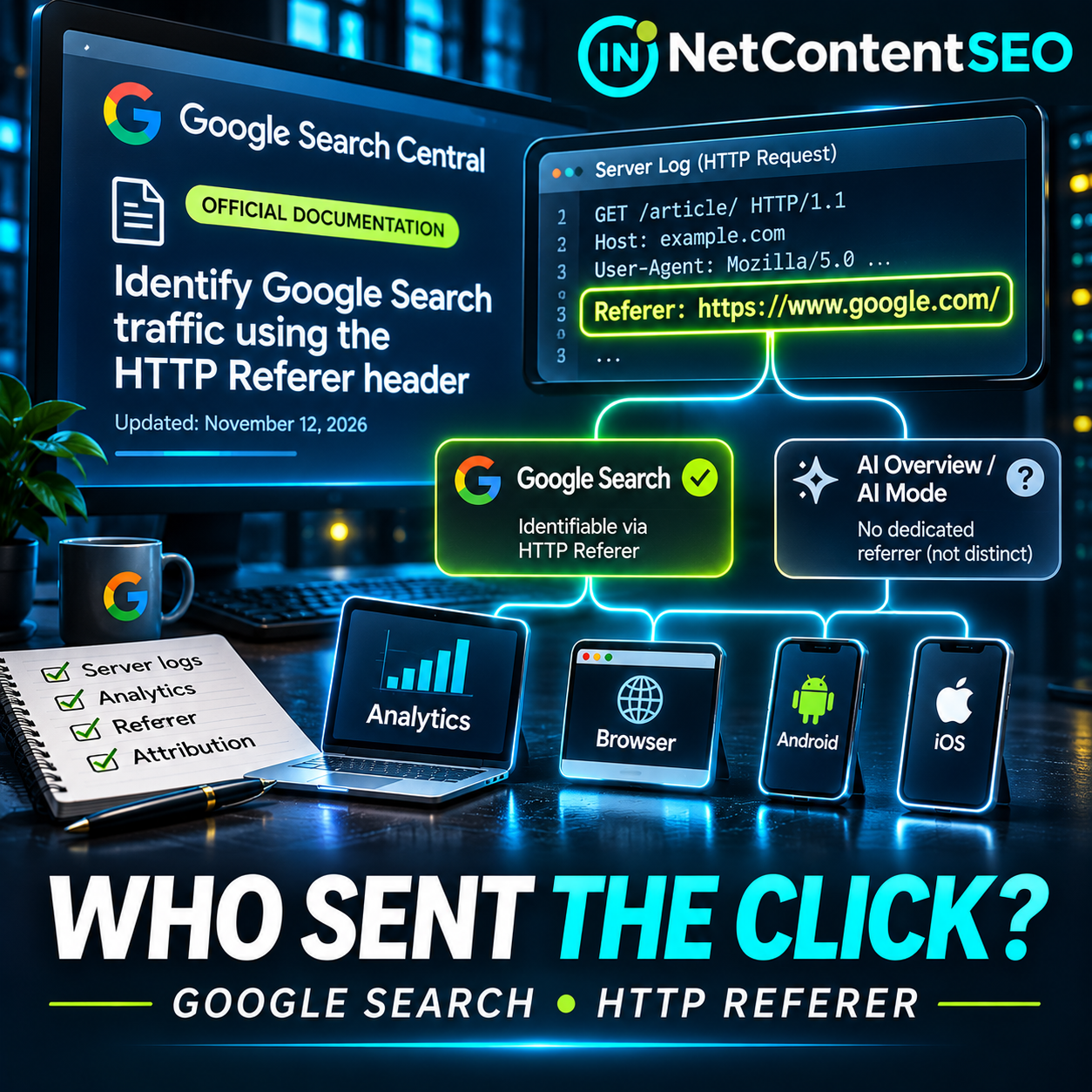

Google has published a new technical guide explaining how website owners can identify visits from Google Search by examining HTTP Referer headers. Added to Search Central on November 12, 2026, the documentation is especially useful for SEO teams that compare Search Console, Google Analytics and raw server logs—or build their own traffic attribution systems.
The key distinction is simple: the guide explains how to recognize Google-originated visits, not how to isolate clicks from AI Overviews or AI Mode. The same referring origin can cover traditional Search, Google Images and some Discover visits. And a missing header does not prove a visit did not originate from Google.
What Google published on November 12
Google's Search Central documentation changelog confirms the new page, Identify Google Search traffic in your web analytics or server logs, was added on November 12. Its purpose is to help site owners recognize Google Search traffic from HTTP request headers and understand why on-site counts may differ from Search Console. Barry Schwartz also covered the publication at Search Engine Roundtable.
When someone clicks a result, the destination site may receive a Referer header. The spelling is historical and intentional: HTTP uses Referer, not Referrer. Google Search applies an origin referrer policy, so the header ordinarily carries the referring scheme and host, not the original search URL, its path or the user's query parameters. It is therefore not a source of organic keyword data.
The Google referrers you should recognize
| Surface | Documented referring value | Important caveat |
|---|---|---|
| Google Search on the web | https://www.google.com/ or a local Google domain such as https://www.google.co.uk/ | Origin does not reveal the query or Search feature |
| Google app on Android | android-app://com.google.android.googlequicksearchbox/https/www.google.com when opening in a browser tab; alternatively a Google web origin | Not every Android visit uses the app-specific form |
| Google app on iOS | https://www.google.com/ or a local Google domain | Often indistinguishable from web Search |
| Discover | Same values as the Google app or web surface on which Discover was viewed | No universal Discover-only marker in this guide |
| Google Images | Can share the same Google origins | Do not assume all matched visits came from web text results |
These are the values and distinctions in Google's documentation. A Referer header is not a signed statement of identity: arbitrary clients can forge it. It is useful for attribution, not for authenticating a Google crawler or proving the identity of a visitor.
What an actual request might look like
Consider this simplified, illustrative request received by a publisher's server after a user clicks a result:
GET /guides/example-article HTTP/1.1
Host: example.com
User-Agent: Mozilla/5.0 ...
Referer: https://www.google.com/
The server can classify this request as a Google-origin referral candidate. It cannot conclude which keyword the user searched, whether the click came from an AI Overview, whether it was a Google Images result, or whether the visitor will ultimately count as an analytics session. The header alone does not provide that detail.
How to audit server logs without inflating Google traffic
The most important implementation detail is to count landing-page document requests, not every HTTP request carrying a referrer. A browser fetching CSS, JavaScript, images or fonts from the same site can send a referrer pointing to the site's own page. Counting all those requests as visits would severely inflate the total.
A practical pipeline should first determine the trusted client address and request metadata at the reverse proxy or server, then retain the request time, method, host, URL path, status, user agent and Referer field. Identify navigation requests for HTML landing pages, exclude obvious static assets and known bots where appropriate, and apply an exact host allowlist for recognized Google domains. A loose test such as “the string contains google” is unsafe: google.com.example.net is not a Google host.
For Android app referrals, handle the documented android-app:// form explicitly instead of trying to parse it as a normal HTTPS URL. For HTTPS referrers, parse the URL and compare the normalized hostname against a maintained allowlist. Local Google domains need deliberate handling; a simplistic rule matching only google.com will miss some visits.
The resulting count should be labeled accurately—for example, HTML landing requests with a recognized Google referrer. It is not automatically a count of unique users, GA4 sessions, organic clicks or search impressions.
Why some Google visits have no Referer
Google identifies several circumstances in which the header may be absent: privacy-oriented browsing, anti-fingerprinting protection, some new-tab behaviors, transfers from native mobile widgets into external browsers, and privacy extensions. Consent settings and ad blockers can additionally prevent JavaScript analytics from recording a visit even when the server successfully receives the request.
Redirects can complicate attribution. Client-side redirects using JavaScript or meta refresh may replace the original referrer with the site's own URL. Redirects can also lose query parameters such as gclid, and restrictive Referrer-Policy headers can suppress the original source. These are reasons to test the full redirect chain, not merely inspect the final landing URL.
Why Search Console, GA4 and raw logs disagree
| System | What it primarily measures | Why it differs |
|---|---|---|
| Search Console | Clicks on organic Google Search results under Google's reporting rules | Records the Search interaction, not an analytics session |
| GA4 or another client-side analytics tool | Events, users and sessions after instrumentation executes | Consent, blockers, session definitions and channel configuration |
| Server access logs | HTTP requests reaching the server or proxy | Includes bots, resources, repeat requests and visits without JavaScript |
For example, a person may click a Google result, triggering a Search Console click, but close the tab before analytics loads. A page request may appear in logs without a GA4 session. Conversely, a single analytics session may contain multiple page requests. Paid advertising is another source of confusion: Search Console's organic Search performance report excludes Google Ads clicks, whereas an improperly configured custom classifier could count paid Google-origin visits together with organic ones.
Therefore, a discrepancy is not automatically a tracking bug. First compare matching dates, time zones, page groups and traffic definitions; then investigate missing referrers, consent, redirects and paid-channel handling.
Does this provide a way to measure AI Overviews and AI Mode?
No. Google's new page does not introduce an AI-specific referrer, a separate GEO tracking standard or a reliable way to distinguish AI Overview clicks from ordinary Google Search clicks. A visit from a generative feature may arrive with the same Google origin as other Search visits. Nor does the referrer reveal whether a page was cited in an answer that produced no click.
Google's existing documentation on AI features in Search describes how AI Overviews and AI Mode contribute to Search Console's web performance reporting. It does not make the HTTP referrer an AI feature identifier. Anyone selling a dashboard that claims to reconstruct precise AI Overview and AI Mode referrals from Referer: https://www.google.com/ alone should be asked to demonstrate independent evidence for that classification.
A practical attribution checklist for SEO teams
- Capture the correct field. Confirm that your proxy and access-log format actually record the inbound HTTP
Referervalue; many default log formats differ. - Parse, don't substring-match. Validate schemes and hostnames, recognize documented Google app referrals and use a maintained allowlist for local Google domains.
- Count navigations, not assets. Restrict visit analysis to relevant landing-page requests and separately handle bots and repeat requests.
- Review redirects. Check server-side and client-side redirects,
Referrer-Policychanges and dropped campaign parameters. - Separate paid and organic. Preserve legitimate campaign identifiers and use analytics channel definitions rather than treating every Google referrer as organic Search.
- Compare like with like. Align reporting periods and landing pages across Search Console, GA4 and logs; expect methodological differences.
- Keep uncertainty visible. Classify missing-referrer visits as unknown unless another reliable signal supports attribution. Do not automatically assign them to Google.
- Do not invent AI labels. Report AI Overview or AI Mode performance only when the source actually supplies a defensible feature-level distinction.
What this means for independent analytics and AI visibility tools
The update is valuable because it clarifies the limits of a widely used signal. A publisher building its own server-side analytics can improve its recognition of Google-origin traffic, including app-based visits that might otherwise be overlooked. But better identification of the source domain is not equivalent to knowing the specific Google product, query or generated answer that prompted the visit.
For technical SEO and AI visibility research, the appropriate architecture is layered: Search Console for Search performance, analytics for on-site behavior, access logs for request-level diagnostics, and separately documented observation studies for AI Search interfaces. Combining those datasets may reveal useful patterns, but it cannot manufacture fields Google does not expose.
Frequently asked questions
Which HTTP header identifies visits from Google Search?
The Referer request header may contain https://www.google.com/, a local Google domain or the documented Android Google app referral value.
Can the Referer header reveal a Google search keyword?
No. Google uses an origin referrer policy, which does not send the search query in the header. Use Search Console's Performance report for query data.
Can the header distinguish AI Mode from AI Overviews?
No. Google's November 12 guide provides no distinct referrer values for those features.
Why does GA4 show fewer Google sessions than Search Console clicks?
The tools measure different events. Consent, ad blockers, page-load failures, redirects and session definitions can contribute to discrepancies.
Does a blank Referer mean direct traffic?
Not necessarily. Privacy protections and browser behavior can remove the header. In raw logs, the true source may remain unknown.
Should I count every request with a Google Referer?
No. Count relevant landing-page navigation requests and account for resources, bots, repeat requests and paid campaigns.
The bottom line
Google's new documentation is a useful technical reference for anyone auditing search traffic, but it is not a breakthrough in measuring generative search. It helps answer which requests appear to come from Google? It does not answer which Google AI feature generated the click? Clear measurement starts by respecting that boundary.
Sources (verified November 16, 2026): Google Search Central documentation updates, November 12, 2026; Google Search Central: Identify Google Search traffic in your web analytics or server logs; Google Search Central: AI features and your website; Barry Schwartz, Search Engine Roundtable, November 12, 2026. The HTTP request and audit examples above are explanatory, not captures of live user traffic.