

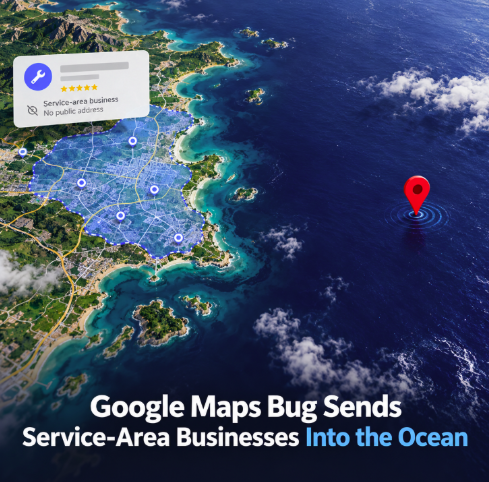

Google Maps is reportedly putting some service-area businesses in an unlikely place: the middle of the ocean. The issue, reported on September 29, appears to affect Google Business Profiles that do not display a public street address. Their service areas can still be shown correctly, but the geographic point used to represent the profile on the map may appear far offshore.
The problem was highlighted by Search Engine Roundtable, which cited local search specialist Dipa Gandhi and screenshots showing the discrepancy. According to the report, this is not limited to a single listing: several profiles have displayed the same behavior, and other users have confirmed seeing it as well. At the time of writing, there is no public confirmation from Google that it has acknowledged or resolved the newly reported incident.
Why service-area businesses are affected differently
Service-area businesses operate differently from conventional storefront listings. A plumber, cleaner, mobile technician or other provider that travels to customers may hide its physical address because customers are not served at that location. Google’s own Business Profile documentation instructs businesses that do not serve customers at their address to remove that address and define the areas they serve instead.
That distinction matters because a service area is a geographic shape rather than a normal customer-facing storefront destination. Google Maps still needs ways to represent that shape at different zoom levels, and community discussions have previously documented cases in which service-area profiles can transition from an outlined area to a point marker. A Google Business Profile Community discussion from May 2026 explained that such a point can correspond approximately to the geometric position associated with the service-area shape rather than the business’s hidden physical location.
There have also been earlier reports of offshore-looking markers with particular service areas. In another Google Business Profile Community thread, a profile serving Ventura County appeared to resolve toward an offshore island included within that county. Those older examples do not prove the cause of the September incident, but they show that the relationship between service-area geometry and point-marker rendering has produced confusing map behavior before.
The business risk is confusion, not just a strange-looking map
An offshore pin is visually absurd, but the more important question for business owners is whether it affects how customers discover and interpret the profile. The current reports establish a display problem; they do not establish that rankings, calls, website visits or leads are necessarily being lost. Until Google provides technical details, it would be premature to claim a direct ranking penalty or measurable traffic decline.
Even so, local businesses and agencies have good reason to audit affected profiles. A map marker appearing in the ocean can create uncertainty for users, particularly when they are trying to understand whether a provider serves their location. It can also complicate quality-control work for agencies managing large numbers of Google Business Profiles, because the service-area settings may look correct while the map visualization tells a very different story.
Google says service-area businesses should keep their service areas accurate and specific, with up to 20 areas defined by cities, postal codes or other supported geographic regions. Its Business Profile guidelines likewise emphasize accurate address and service-area information. That means businesses should resist the temptation to expose an address that customers do not visit merely to make a strange pin disappear; doing so could conflict with Google’s rules for service-area businesses.
What local businesses should check now
For businesses operating without a public storefront address, the sensible response is verification rather than panic. Owners and agencies should inspect the live profile in Google Maps at multiple zoom levels, compare the displayed service area with the cities or postal codes configured in the Business Profile, and note whether an offshore marker appears. It is also worth checking from different devices or accounts to determine whether the behavior is consistent rather than limited to a particular interface state.
If the service area itself contains an unexpectedly broad county, island or coastal administrative region, that configuration deserves a closer look. However, businesses should avoid making unnecessary changes to otherwise accurate profile data solely to chase a visual anomaly. Screenshots, profile links, timestamps and the exact configured service areas can provide useful evidence if the issue needs to be reported through Google Business Profile support.
For local SEO teams, this is also a reminder that profile monitoring should extend beyond rankings and reviews. Maps presentation can change independently of the underlying business information, and a profile that looks healthy in the management interface may render differently to customers. Periodic visual checks of important listings can catch anomalies before they become a prolonged source of confusion.
Google has not yet confirmed the new bug
The September 29 reports point to a reproducible problem across multiple profiles, but the available evidence does not yet explain its technical cause. Search Engine Roundtable noted that it was unclear whether Google was aware of the issue when the story was published. No official Google acknowledgment of this specific newly reported bug was found at the time this article was prepared.
For now, service-area businesses should treat the offshore pin as a monitoring and reporting issue rather than evidence that their actual business has been relocated in Google’s systems. The key distinction is whether the configured service area remains accurate and whether customers can still discover and engage with the profile normally. Until Google clarifies the behavior, checking the public Maps presentation is the fastest way to spot whether a listing has drifted out to sea.