

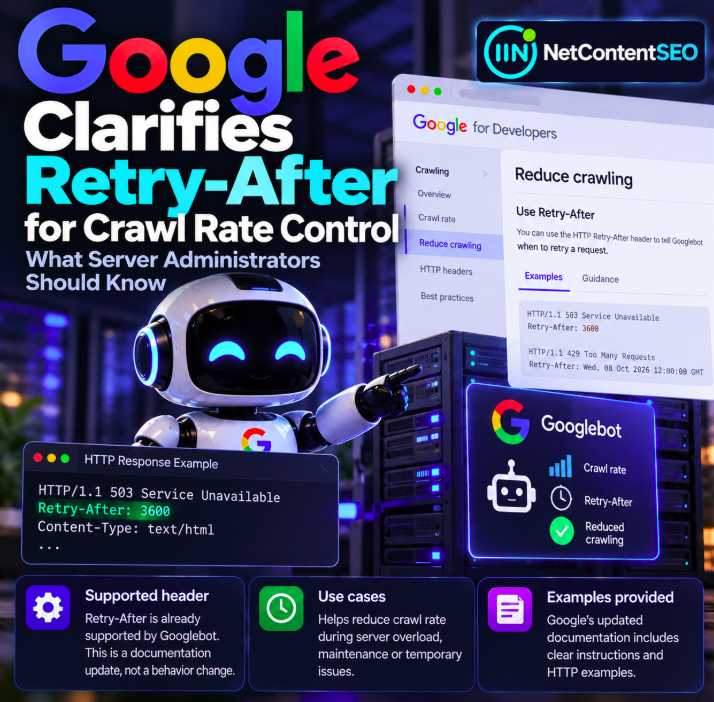

Google updated its crawling documentation on October 6, 2026, to provide clearer instructions and examples for using the HTTP Retry-After response header when a website urgently needs to reduce crawling. The key distinction: this is a documentation clarification, not the introduction of a new Googlebot capability or a newly announced change in crawler behavior.
The update is recorded in the Google Crawling Documentation Changelog. For server administrators, hosting teams and technical SEOs, the practical lesson is to use valid HTTP signals consistently during temporary overload or maintenance—and to avoid treating an emergency mechanism as a permanent crawling strategy.
What did Google change on October 6?
According to the official changelog summary, Google added instructions and examples for the Retry-After header to its guidance about urgently reducing crawl rate. Support for the header already existed; the newly documented examples make its intended use easier to understand.
That distinction matters when interpreting release notes. A newly added documentation paragraph does not mean Googlebot only started recognizing Retry-After on October 6, nor does it establish any ranking or indexing algorithm change.
What is the HTTP Retry-After header?
Retry-After is an HTTP response header that indicates how long a client should wait before trying again. Under HTTP semantics, the value can be expressed as a number of seconds or an HTTP-date. It is commonly associated with temporary service unavailability or rate limiting.
For example, a server temporarily unable to serve requests can respond:
HTTP/1.1 503 Service Unavailable
Retry-After: 3600
Content-Type: text/plain

Temporarily unavailable
The numeric value 3600 represents 3,600 seconds, or one hour. This is an illustrative HTTP response, not a promise that Googlebot will return exactly one hour later.
503 vs 429: understand the response codes
503 Service Unavailable
A 503 indicates temporary server unavailability, such as overload or maintenance. When the problem is genuinely temporary, a Retry-After header can provide an additional indication of the expected wait period.
429 Too Many Requests
A 429 indicates rate limiting: the client has sent too many requests in a given period. The HTTP specification permits Retry-After in a 429 response as well. For Google-specific crawler behavior, administrators should follow the current Google crawling documentation rather than assuming all bots interpret both codes identically.
HTTP/1.1 429 Too Many Requests
Retry-After: 120
Content-Type: text/plain

Rate limit reached
This example indicates a requested wait of two minutes. It does not guarantee an exact rescheduling interval or establish that every crawler will comply.
When should a site use Retry-After?
The clearest use case is a temporary operational incident: a server is overloaded, a deployment has reduced capacity, or a short maintenance window makes normal responses impractical. In such situations, accurate HTTP status codes and a realistic retry interval can help communicate that the condition is temporary.
It is not a substitute for capacity planning, caching, application performance improvements or a well-designed crawling and indexing strategy. Using errors indefinitely can prevent crawlers from accessing content and may have negative search consequences.
Practical guidance for server administrators
- Confirm the problem is temporary. Check server load, application errors, upstream services and response times.
- Return the appropriate status. Use a genuine temporary error response instead of returning HTTP 200 with an error message in the page body.
- Include a valid Retry-After value when appropriate. Choose a realistic duration; avoid inventing arbitrary very long delays.
- Apply controls carefully. Avoid unnecessarily disrupting healthy pages or essential resources.
- Monitor server logs. Observe how Googlebot requests and error rates change; do not assume immediate or exact compliance with the requested interval.
- Restore normal responses promptly. Once capacity is back, return successful status codes for accessible pages.
- Check Search Console afterward. Look for crawl and indexing issues, but recognize that reports may not update instantly.
Can Retry-After prevent deindexing?
No header guarantees that content will remain indexed indefinitely. A brief, genuine outage and a prolonged pattern of server errors are different situations. If crawlers cannot access a page for an extended period, indexing can eventually be affected. The safest approach is to restore availability as quickly as possible and follow Google's published guidance for temporary outages.
Does Retry-After directly change Googlebot's crawl rate?
It provides a signal that a retry should be delayed. It is not a precise crawl-rate dial, a sitewide scheduling command or a guarantee that Googlebot will stop all requests for a specified number of seconds. Actual crawling is influenced by the crawler's behavior and the website's observed availability.
Administrators should not confuse the header with a robots.txt disallow rule, which controls access to specified paths, or with a noindex directive, which concerns indexing eligibility. These mechanisms serve different purposes.
What the October 2026 update does not announce
- No new Googlebot ranking factor.
- No newly introduced support for
Retry-After; the support predates the documentation change. - No guarantee that a crawler returns at the exact second requested.
- No permanent solution for overloaded hosting infrastructure.
- No documented change to how Google selects sources for AI Overviews or AI Mode citations.
Why this matters for technical SEO
Server availability and crawl accessibility are foundational technical SEO concerns. When a site responds incorrectly during an outage, crawlers may have difficulty distinguishing a temporary incident from persistent errors. Clear HTTP responses improve the accuracy of that communication.
For large sites, a consistent incident-response playbook can be especially valuable. Document when to return 503, how to configure temporary retry guidance, how to inspect logs and when to remove the emergency response. The October documentation update is a useful reminder to validate that playbook.
FAQ
Did Google introduce Retry-After support in October 2026?
No. The October 6 update clarified existing support in documentation.
What does Retry-After: 3600 mean?
It indicates a requested retry delay of 3,600 seconds, or one hour.
Should I use 503 or 429?
Use the status that accurately describes the condition: 503 for temporary service unavailability and 429 for rate limiting. Consult Google's current crawling guidance for the crawler-specific recommended handling.
Will Googlebot definitely stop crawling for the specified time?
No exact timing guarantee should be inferred from the header.
Can I leave 503 responses active for weeks?
That is risky. Prolonged inaccessibility can harm crawling and indexing. Restore normal service promptly.
Does this update affect AI Search citations?
No such change was announced. The update concerns crawling documentation and emergency HTTP responses.
NetContentSEO analysis
The value of this micro-update lies in operational clarity, not a new crawler feature. Correctly communicating temporary overload is part of making content reliably accessible to search engines. But technical teams should treat Retry-After as one component of a short-term incident response—not as a shortcut for permanent crawl-budget management.
Primary sources: Google Crawling Documentation Changelog; Google documentation on reducing crawl rate.