
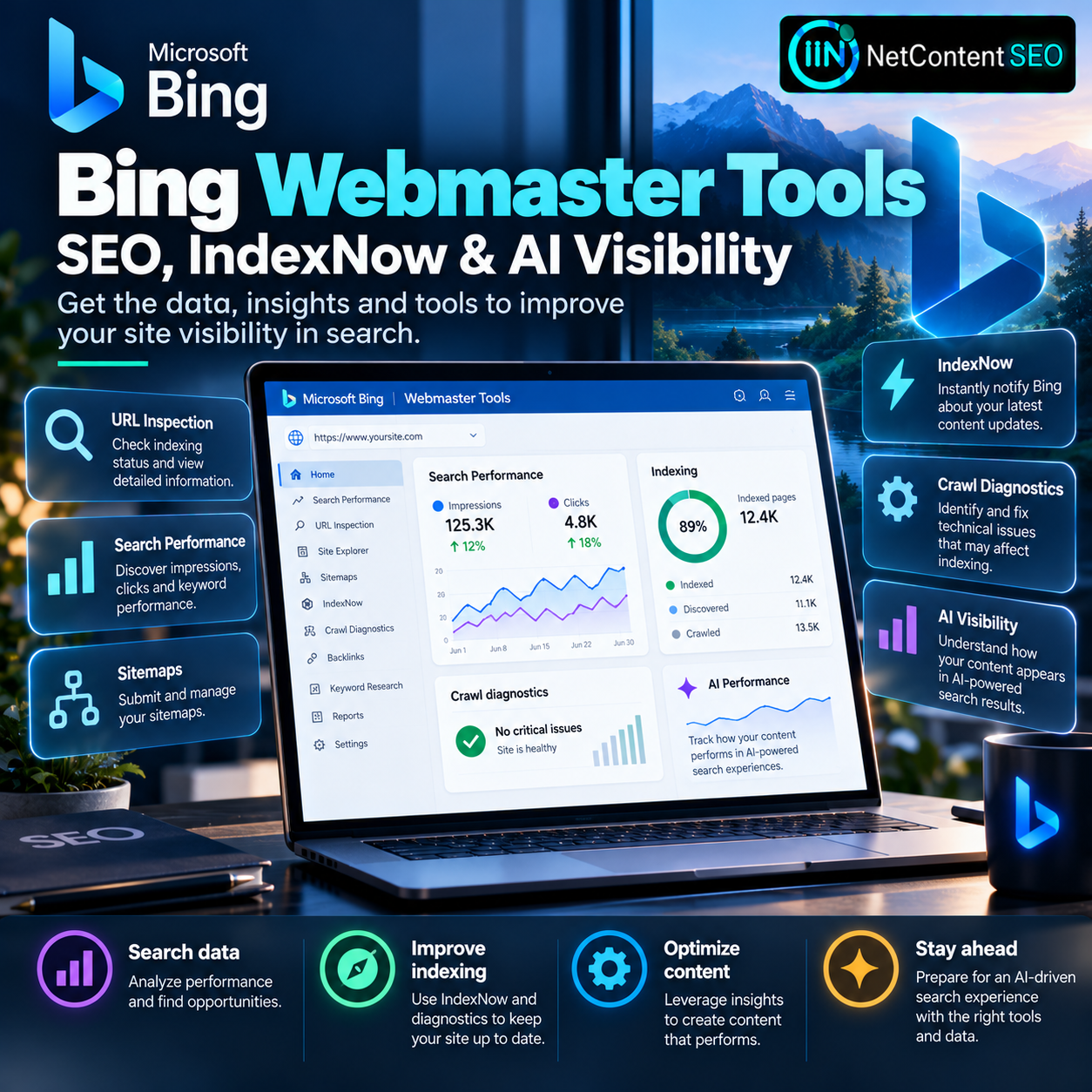
Bing Webmaster Tools is one of the most useful free platforms for understanding how Microsoft Bing discovers, indexes and presents your website. In a June 17, 2025 article, Microsoft's Bing Webmaster team encouraged site owners to use its expanded search performance data, crawl diagnostics, indexing insights, keyword reports, URL inspection and IndexNow integration.
Those capabilities remain relevant in 2026, but the original announcement is not new. Since then, Bing has also introduced an AI Performance report in public preview, giving publishers another way to understand how their content appears in supported AI-generated answers. This guide separates the established technical SEO workflow from newer AI visibility reporting.
Why use Bing Webmaster Tools?
SEO teams often concentrate on Google Search Console, but Bing has its own crawling, indexing and search systems. A page performing well on Google is not guaranteed to have the same visibility in Bing, and the two platforms may discover updates at different times.
Bing Webmaster Tools provides direct information about how Bing sees a verified site. It can help identify indexing problems, inspect individual URLs, analyze search queries, submit sitemaps and investigate technical obstacles that could prevent content from appearing in search results.
It also supports IndexNow, a protocol designed to notify participating search engines when URLs are created, updated or removed. These notifications can speed up discovery of changes, although they do not guarantee immediate crawling or indexing.
Step 1: Add and verify your website
Start at Bing Webmaster Tools and sign in with a supported account. Add the site you want to manage. Depending on the available onboarding flow, you may be able to import a verified property from Google Search Console or complete verification through a supported method such as an XML file, HTML meta tag or DNS record.
Choose the property that matches the site you actually operate and check that verification remains valid after deployments or infrastructure changes. If your site has separate hosts, language versions or environments, verify that you are reviewing the correct property before drawing conclusions from its data.
After verification, allow time for the platform to gather data. A new property will not necessarily show a full historical performance report immediately.
Step 2: Read Search Performance reports correctly
The Search Performance area shows how a site performs in Bing Search, including impressions, clicks and query-level information. Use it to identify which topics bring visitors, where visibility is growing and which important pages are underperforming.
When comparing periods, account for seasonality, content launches, indexing changes and search demand. A change in clicks may reflect many factors besides a ranking movement. Compare query groups and landing pages rather than relying only on the site's aggregate totals.
For practical analysis, segment branded and nonbranded queries, review pages that receive impressions without corresponding clicks and track whether new content starts appearing for its intended topics. Do not assume that an impression is equivalent to a visit or that a position metric explains every change in click-through rate.
Step 3: Use URL Inspection to diagnose specific pages
When an important page is missing from Bing or has stopped appearing, use URL Inspection to examine what Bing knows about that address. The tool can help identify discovery and indexing issues and guide the next diagnostic step.
Check whether the URL is canonical, returns a successful HTTP response, is allowed by robots rules and contains the expected content. A URL that redirects unexpectedly, returns an error or points to a different canonical destination may not be eligible for indexing in the way the publisher expects.
Fix the underlying cause before requesting another crawl. Repeatedly submitting an inaccessible or blocked URL does not solve its technical problem.
Step 4: Find crawling problems before they affect visibility
Bing's crawl diagnostics and related site-exploration tools help identify URLs and site areas that may be difficult for Bingbot to access. Common problems include broken internal links, redirect loops, server errors, restrictive robots directives and inconsistent URL structures.
Prioritize issues according to business impact. A 500 error on an important product or service page deserves attention before a 404 for a deliberately deleted URL. Similarly, a large number of duplicate parameter URLs may warrant investigation if they create unnecessary crawl paths, but not every duplicate URL is a sitewide SEO emergency.
Check server logs when possible to confirm how Bingbot is actually interacting with the website. Dashboard warnings are useful starting points, not a substitute for examining live HTTP responses and rendered content.
Step 5: Submit accurate XML sitemaps
An XML sitemap helps Bing discover the canonical URLs that you want crawled and indexed. Submit your sitemap through the platform and keep it synchronized with your published content.
Include only URLs that should be indexable and return appropriate success responses. Avoid populating sitemaps with redirected URLs, intentionally noindexed pages or known errors. For large sites, split sitemap files into manageable sections and use a sitemap index where appropriate.
Keep in mind that sitemap submission is a discovery aid, not a promise of indexing or ranking. A search engine still evaluates accessibility, duplication, content quality and other signals.
Step 6: Implement IndexNow for faster change discovery
IndexNow is an open protocol supported by Bing and other participating search engines. It allows a website to send notifications when content is added, modified or deleted.
Implementation generally involves generating a key, hosting a verification file at the required location and submitting changed URLs through an approved integration or API request. Some content management systems and plugins can automate this process, while custom applications can trigger submissions after successful publication or deletion events.
For a Laravel website, for example, an IndexNow notification can be queued after a new article is published or an existing page's canonical URL changes. The notification should be triggered only when the content change is actually live, with retry logic and logging for failures.
Do not send every URL repeatedly without a meaningful change. And do not mistake a successful IndexNow submission for confirmation that Bing has indexed the page or assigned it a search ranking.
Step 7: Review keyword performance and content opportunities
Keyword reporting can reveal topics where a site already has visibility but may not fully meet user intent. Review queries alongside their landing pages to determine whether content should be improved, consolidated or clarified.
A page with many impressions and few clicks may need a more informative title or a stronger match between the query and the visible content. But a low click-through rate is not automatically evidence of poor copy: the search results layout, competing features and query intent can also influence behavior.
Use query data as a starting point for editorial research, not as an instruction to repeat exact keywords mechanically. High-quality pages should answer the underlying questions users are asking.
Step 8: Add AI Performance reporting to your 2026 workflow
In February 2026, Bing introduced AI Performance in public preview. The report is designed to help publishers understand when their content is cited in supported AI-generated answers and to explore related visibility patterns.
This is a separate development from the June 2025 Webmaster Tools overview. It reflects the growing importance of measuring visibility not only in conventional blue-link search results but also in AI-assisted experiences.
AI citation or appearance data should not be confused with organic search clicks or conversions. A cited page may not receive a visit, and the available reports may cover only certain Microsoft AI surfaces and reporting windows. Teams should interpret the metrics according to Bing's documentation rather than treating them as a universal measure of all AI assistants.
How to build a weekly Bing SEO monitoring routine
For a practical workflow, begin with Search Performance to identify significant movements in clicks and impressions. Then inspect important URLs with unexpected declines, review crawl diagnostics for technical blockers and confirm that recently published pages are present in the sitemap.
Check that IndexNow notifications are being sent after meaningful changes. For sites with AI Performance access, review citation trends separately from traditional search metrics. Record which changes were made and when, so future performance movements can be interpreted in context.
For multilingual or international websites, compare important country or language sections separately when reporting allows it. A single sitewide trend can hide technical problems affecting only one market.
Common mistakes to avoid
Using Bing Webmaster Tools only after traffic falls: regular monitoring makes it easier to spot changes before they become severe.
Assuming IndexNow guarantees indexing: it communicates URL changes, but Bing still decides whether and when to crawl and index.
Confusing AI citations with website visits: AI Performance describes a different kind of visibility from conventional search traffic.
Ignoring canonical and redirect issues: submitting a URL will not fix conflicting technical signals.
Treating Bing and Google metrics as interchangeable: each search engine has its own data, coverage and user behavior.
NetContentSEO assessment
Bing Webmaster Tools deserves a permanent place in a technical SEO toolkit. Its established capabilities—search analytics, crawl diagnostics, URL inspection, sitemaps and IndexNow—help publishers identify problems and improve how their sites are discovered. The newer AI Performance report adds another dimension: visibility within supported AI-generated answers.
For SEO professionals, the best approach is to combine these data sources while keeping their meanings distinct. Track crawlability and indexing, understand search demand, notify engines when content changes and measure AI citations without pretending they are the same as clicks.
The original Bing post was published in June 2025; this is an updated evergreen guide, not a newly announced 2026 launch.
Sources: Microsoft Bing Webmaster Blog, June 17, 2025; Microsoft Bing Webmaster Blog, AI Performance public preview, February 2026; IndexNow official website; Bing Webmaster Tools.