

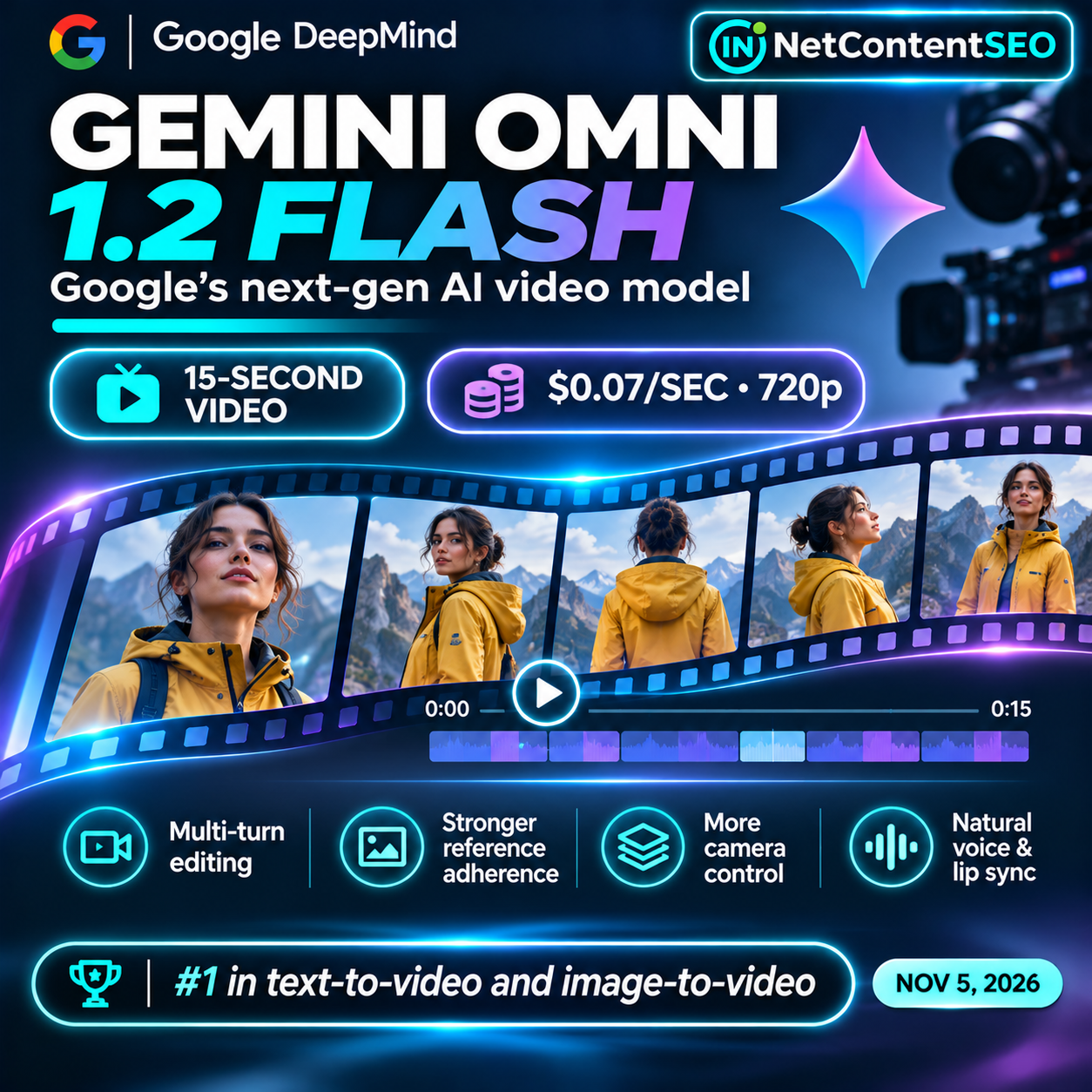

November 6, 2026. Google DeepMind has launched Gemini Omni 1.2 Flash, a video-generation and editing model that brings 15-second native clips, multi-turn conversational editing and stronger consistency with reference images. Google says the new model costs $0.07 per second for 720p output, a 30% reduction from Omni 1.1 Flash. The release is generally available through the Gemini API and Google Cloud, with product-specific rollouts across Google's creative tools.
The headline is not just improved video quality. Google is trying to make AI video production less like a one-off prompt and more like an editable workflow: generate a draft, change a background or product, preserve the original subject, then upscale the strongest result. That matters to ecommerce, advertisers, publishers and teams producing many localized or personalized video variants.
What's new in Gemini Omni 1.2 Flash?
Google's November 5 launch announcement identifies six core improvements: native video clips up to 15 seconds; lower pricing; stronger adherence to character, product and style references; conversational editing of an existing clip; more natural multi-speaker dialogue and lip synchronization; and more controlled continuous camera movement.
Users can specify durations from 3 to 15 seconds in one-second increments, compared with a 10-second maximum for the previous generation. Supported inputs include text, images, video and audio, though access to audio-reference conditioning can require allowlisting, according to Google Cloud. These are product capabilities, not guarantees that every complex prompt will be executed flawlessly.
How much does it cost?
Google's announced 720p generation price is $0.07 per generated second. That makes a 15-second 720p clip $1.05 in base generation charges if the full 15 seconds are billed at that rate. A 10-second clip would cost $0.70 and a five-second clip $0.35, before any additional usage, editing, upscaling, platform or workflow charges that may apply.
| 720p clip duration | Base generation cost at $0.07/sec |
|---|---|
| 5 seconds | $0.35 |
| 10 seconds | $0.70 |
| 15 seconds | $1.05 |
| 100 clips × 15 seconds | $105.00 |
These are arithmetic examples, not fixed all-in project quotes. They assume the published 720p per-second rate, with no failed generations, additional editing passes or other charges. Google also supports drafting at 360p and upscaling selected outputs to 1080p or 4K; those settings require checking the current Gemini API pricing documentation rather than assuming they cost the same as 720p.
The 30% reduction is relative to Omni 1.1 Flash, not proof that Omni 1.2 is cheaper than every competing model. The 36Kr/Zhidx report claims it costs less than one-third of Seedance 2.5 at comparable quality, but a valid cross-provider comparison must align resolution, audio, duration, editing costs, output success rates and pricing tiers. That comparison was not independently verified in the primary Google sources.
Why conversational editing changes the workflow
Traditional text-to-video workflows can force creators to start over when a product label, scene background or lighting condition is wrong. Omni 1.2 Flash is designed to accept follow-up instructions on the existing clip. Google demonstrates changing a scene through several backgrounds while keeping characters, costumes, reflections and camera framing relatively consistent.
For a retail brand, this could mean producing a base product video, then testing versions for different regions, seasons or audiences. For a publisher, it could mean correcting a detail without re-creating the entire visual sequence. However, claims of perfect consistency should be treated cautiously: the DeepMind model card and launch material acknowledge continuing limitations in areas such as rapid action and complex physics.
Reference adherence: from product photos to virtual try-ons
Google says the model can combine reference images of people, products and visual styles with short motion clips and audio cues. Its demonstration uses a model photograph plus front-and-back images of three outfits to produce a 15-second virtual try-on sequence, including turns and changes of clothing. The stated improvement is greater preservation of garment cut, texture and identity through camera changes.
This is particularly relevant to ecommerce teams with extensive product catalogs. But generated try-on imagery must be reviewed for factual accuracy: a model may make clothing drape differently from the physical item, change a product feature or introduce visual artifacts. A persuasive AI video should not misrepresent the product a customer will receive.
Voice, lip sync and cinematic motion
Omni 1.2 Flash also improves natural-sounding dialogue, lip synchronization and separation between multiple speakers. Google highlights FPV-style camera travel, dramatic zoom-outs and orbiting movements with fewer unwanted cuts. These capabilities can help creators develop short explainers and promotional scenes, but they should still inspect mouth movement, speaker attribution, motion continuity and any text shown on screen.
For multilingual marketing, natural-sounding speech is not the same as verified translation quality. Teams should check pronunciation, meaning and cultural context with appropriate reviewers before publishing localized campaigns.
Is Gemini Omni 1.2 Flash the top video model?
The Zhidx article syndicated by 36Kr Europe reports first place on text-to-video and image-to-video leaderboards and third place on a video-editing leaderboard, ahead of named competitors including Grok Imagine Video and Seedance models. Those ranking claims should be understood as benchmark-specific snapshots. The supplied article does not provide sufficient independent detail here about the leaderboard operator, exact evaluation date, prompt set, statistical uncertainty or whether all models were tested with comparable settings.
Google's official launch materials confirm the model's capabilities and pricing, but they do not by themselves validate a universal ranking above every competitor. Before citing a leaderboard in a procurement decision, verify the live ranking, category, model version, sample size, scoring method and date. A model that performs best on a blind preference benchmark may not be best for a specific brand's typography, physics, latency or editing workflow.
Where can users access the model?
Google says Omni 1.2 Flash is generally available through the Gemini API and Google Cloud, including enterprise infrastructure with Provisioned Throughput. Developers can prototype in Google AI Studio and check the current API documentation. Google Vids supports 3–15-second clips; its November 5 Workspace update lists eligible personal, business, enterprise and education editions, with a one-to-three-day feature rollout.
Google also identifies Flow, Google Ads and the Gemini app as distribution surfaces. In the Gemini app, 15-second creation is rolling out to Google AI Ultra subscribers; it should not be described as immediately available to all free Gemini users. Availability, usage limits and supported controls differ by product, account and region. The developer API and consumer interfaces should not be assumed to offer identical features.
Practical workflow: create and test 100 product videos
- Define the objective: decide whether the videos should demonstrate product features, explain use cases or test creative messaging. Avoid generating variations without a measurable purpose.
- Prepare accurate references: supply approved product photos, packaging, colors, logos and a clear list of attributes that must not change.
- Draft at a lower resolution: use a short clip and suitable draft settings to evaluate composition before committing to high-resolution output.
- Refine through conversation: change one variable at a time, such as the background or lighting, and compare each revision against the original product references.
- Review factual accuracy: check product geometry, labels, spoken claims, subtitles, audio, transitions and accessibility.
- Estimate full costs: include failed generations, revisions, higher-resolution output, human review, storage and distribution, not just the first-pass per-second rate.
- Run a controlled creative test: compare a small set of variants with consistent audiences and budgets. Measure conversion and creative performance rather than assuming more video volume automatically improves results.
- Document provenance: retain source assets, approvals and any applicable AI-generation disclosures.
At the published base rate, 100 finished 15-second clips would total $105 for initial 720p generation if each succeeds on the first attempt. If every clip requires multiple paid iterations, the actual cost rises. This distinction is central to any claim that AI video makes SKU-level production economically viable.
What does it mean for video SEO and AI Search?
Omni 1.2 Flash does not announce a new Google Search ranking factor or a shortcut to AI Overview citations. Its impact on SEO is indirect: lower production costs and more consistent visuals can make it easier to create genuinely useful demonstrations, tutorials and explainers.
Publishers should still provide descriptive titles, relevant page context, accessible transcripts or captions where appropriate, optimized file delivery and valid structured data when eligible. Google Search's video SEO guidance remains more relevant to discoverability than the model used to produce the video. Generating many near-identical clips without distinct user value is not a content strategy.
For ecommerce, the opportunity is to answer concrete product questions visually. A short clip that accurately demonstrates fit, assembly or operation can serve users better than generic animated advertising. For editorial sites, original explanatory videos can complement researched articles, but the underlying facts must remain verifiable.
Safety, provenance and limitations
Google says generated outputs carry an imperceptible SynthID watermark, and its model card describes safety considerations and known limitations. A watermark may help with provenance in supported detection workflows, but it does not certify that the depicted event is real or that every claim is accurate.
Businesses should obtain rights to source images and voices, avoid deceptive impersonation, and review representations of real people and products. For advertisements, they should also comply with applicable platform policies and disclosure requirements. Google's model card is the appropriate source for current model-specific limitations and safety information.
Frequently asked questions
When was Gemini Omni 1.2 Flash released?
Google announced the release on November 5, 2026, with general availability through the Gemini API and Google Cloud and rollouts across its creative applications.
How long can its videos be?
Native generation and conversational editing support clips up to 15 seconds, with selectable durations from 3 to 15 seconds in one-second increments.
How much does a 15-second 720p video cost?
At Google's announced base rate of $0.07 per second, 15 seconds cost $1.05 for generation. Additional edits, upscaling or platform-specific charges may increase the total.
Can I edit a video without regenerating everything?
The model supports multi-turn conversational editing of an existing clip, including background, lighting, product and aspect-ratio changes. Review the result for unintended changes.
Can I use it for free in Google Vids?
Google says eligible users can generate 15-second clips in Google Vids at no additional cost, subject to product availability and usage limits. API usage has its own pricing.
Is it available in the Gemini app?
Google says 15-second video creation is rolling out to Google AI Ultra subscribers. Availability may differ from the API and Google Vids.
Is it better than Grok or Seedance?
The supplied Zhidx/36Kr report cites favorable leaderboard positions, but a definitive comparison requires verifying the specific live benchmark and matching test conditions. The best choice depends on quality, editability, consistency, speed and total cost.
Will AI-generated video improve Google rankings?
Not automatically. Search performance depends on the usefulness, accessibility, context and technical presentation of the video and its host page, not simply the generation model.
The takeaway: workflow economics become the battleground
Google's new model combines longer clips, lower generation costs and iterative editing in one workflow. That could make it more practical to create many versions of product demonstrations, short advertisements and educational videos. But success depends on more than output price: teams must evaluate accuracy, revisions, licensing, approvals and actual audience results.
The competitive question is shifting from “Which model can make the prettiest clip?” to “Which model can produce a usable, accurate and editable video at the lowest total workflow cost?”
Sources
- Google, November 5, 2026 — Introducing Gemini Omni 1.2 Flash — primary product announcement.
- Google Cloud, November 5, 2026 — general availability, pricing, enterprise access and limitations.
- Google DeepMind model card — model scope, inputs, outputs and safety.
- Google Workspace Updates, November 5, 2026 — Google Vids availability and rollout.
- 36Kr Europe / Zhidx, November 6, 2026 — supplied secondary reporting and leaderboard claims.
- Google Search Central: Video SEO best practices — discoverability context.