

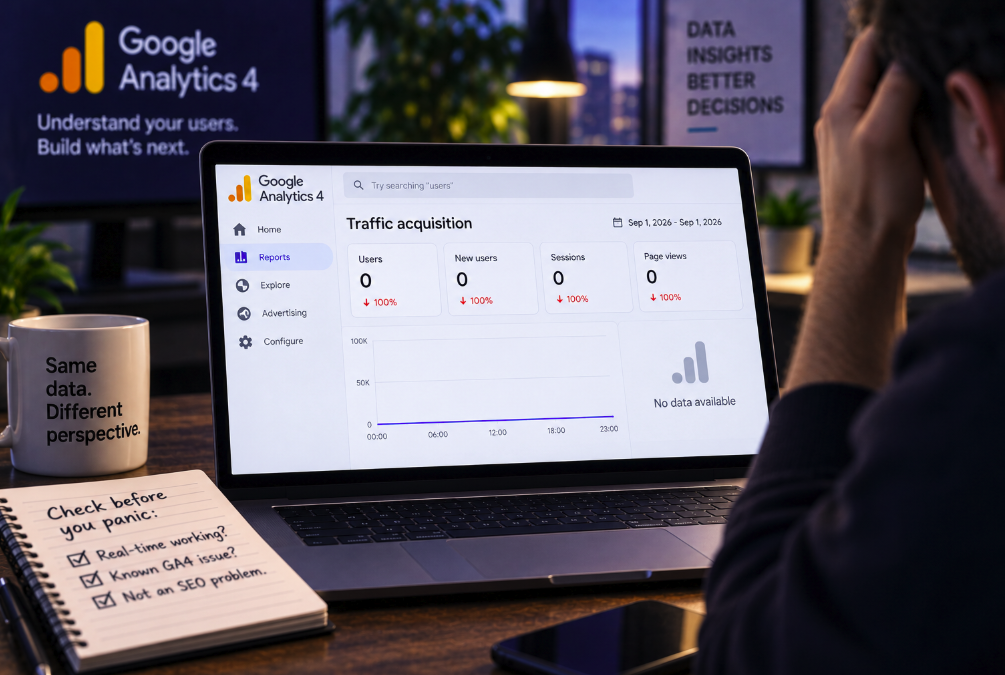

Few analytics screenshots are more alarming than a traffic graph falling vertically to zero. On September 2, marketers and site owners opening Google Analytics 4 found exactly that: standard reports for September 1 were showing no traffic across numerous accounts, even though there was little reason to believe all of those websites had simultaneously lost every visitor.
Search Engine Land reported the issue as a widespread GA4 bug after complaints appeared across many properties. At the time of publication, Google had not officially confirmed the incident. Analytics consultant Dana DiTomaso separately reported seeing the same processing pattern across multiple client accounts, reinforcing the evidence that this was a reporting-side problem rather than a collection of unrelated website failures.
The episode is a useful reminder for SEO teams because analytics dashboards are observations of reality, not reality itself. When a reporting system says traffic disappeared, the first job is not to explain the SEO collapse. It is to establish whether a collapse happened at all.
A zero in GA4 does not necessarily mean zero visitors
Analytics platforms sit between user activity and the reports marketers read. A visitor loads a page, tracking code collects an event, data is transmitted, Google processes it and the result eventually appears in a report. Failure or delay at any stage can produce a misleading dashboard.
The September 1 incident appears to have affected the reporting or processing layer across many GA4 accounts. Search Engine Land explicitly warned readers that their sites had not suddenly dropped to zero traffic simply because the standard report displayed no data.
That distinction sounds obvious when a widespread bug is already known. It is much harder to maintain at the moment a marketer first sees a flat line, especially when traffic is tied to revenue, lead generation or client reporting. The visual severity of a zero makes it easy to begin diagnosing rankings before checking the measurement system.
Realtime and standard reports are not the same data pipeline
One of the strongest diagnostic clues during a GA4 anomaly is whether Realtime still shows active users. Google's official data-freshness documentation explains that Realtime, intraday and daily reporting operate on different processing intervals.
Realtime is typically updated within minutes and intentionally covers a narrower set of dimensions and metrics. Standard-property intraday data generally takes two to six hours, while daily processing can take considerably longer. Google says Analytics processing can sometimes require 24 to 48 hours and that report data may change while processing is underway.
This architecture explains how one part of GA4 can appear healthy while another looks broken. If Realtime records visitors but yesterday's standard acquisition report shows zero sessions, that mismatch is evidence against the theory that the website literally stopped receiving traffic. It points instead toward processing, reporting or attribution as areas to investigate.
Do not start changing SEO because one dashboard looks catastrophic
The most dangerous response to a measurement failure is an operational reaction based on a false diagnosis. An SEO team that interprets a GA4 reporting bug as a genuine organic collapse could start reverting deployments, changing internal links, editing titles, removing content or escalating a nonexistent technical incident.
Those changes create new variables precisely when the team needs clean evidence. If the analytics data later backfills, it becomes difficult to separate the original reporting issue from the effects of emergency modifications made in response to it.
A sudden traffic loss should trigger verification before remediation. The more extreme the reported change, the more valuable independent confirmation becomes. A site that genuinely loses 100% of its traffic usually has an equally dramatic underlying cause: a major outage, broken analytics implementation, blocked access, DNS failure, accidental noindexing or another severe technical event. If none of those signals exists, the analytics platform itself deserves immediate scrutiny.
Search Console can help separate SEO visibility from analytics reporting
For organic-search incidents, Google Search Console is one of the most useful independent checks because it measures a different part of the journey. GA4 records activity after users reach the site, while Search Console records Google Search impressions and clicks before the visit.
If GA4 reports zero organic sessions but Search Console continues showing normal impressions and clicks, the evidence does not support an SEO visibility collapse. The discrepancy instead suggests a measurement, tagging, processing or reporting issue downstream of Search.
Search Console is not instantaneous and its data has its own processing delays, so it cannot always settle an incident immediately. But once the relevant data becomes available, comparing the two systems can prevent teams from treating an analytics anomaly as a ranking event.
Server logs and infrastructure metrics provide another independent reality check
Organizations with access to web-server, CDN or edge-network data have an even more direct diagnostic source. Requests reaching the infrastructure exist independently of whether GA4 processes them correctly.
If Cloudflare, a CDN dashboard or server logs show normal request volume while GA4 shows zero, the website clearly did not lose all visitors. E-commerce platforms, lead systems and application databases can provide similar confirmation through transactions, form submissions, sign-ins or other business events.
No single measurement platform should be the sole source of truth for a business-critical incident. The September GA4 problem demonstrates why redundant signals matter: one dashboard can fail while the underlying business continues operating normally.
Realtime working is reassuring, but it is not a complete audit
Seeing users in Realtime is strong evidence that GA4 is still receiving at least some events, but teams should avoid treating that as proof that every aspect of the implementation is healthy. Realtime has narrower reporting coverage and can behave differently from processed acquisition and attribution reports.
A configuration problem might affect certain events, traffic-source dimensions or consent states while basic activity remains visible. Likewise, a partial tagging failure could affect only some templates or regions.
The correct conclusion is therefore proportional: if Realtime is active while standard reports suddenly show zero across a date, a total traffic collapse is unlikely. The next step is to compare additional independent signals rather than immediately declaring either the site or GA4 completely healthy.
GA4 data is designed to mature after collection
Marketers often treat yesterday's Analytics report as final, but Google's documentation describes a more gradual process. Intraday reporting is designed to make partial information available quickly, while daily processing incorporates more complete data and attribution.
Google notes that temporary gaps can occur in event-scoped traffic-source dimensions before daily data becomes available. It also says reporting and API data can change after daily processing completes. Attribution credit for key events can continue changing later as modeling improves.
This does not mean a completely empty day should be dismissed as routine. A widespread zero-data pattern is clearly abnormal. But it does mean teams should understand that GA4 is not a static ledger written the instant an event occurs. The reporting layer has latency, processing stages and opportunities for temporary inconsistencies.
The scale of an anomaly can reveal whether the problem is local
When one property suddenly shows zero traffic, the probability of a local implementation problem is meaningful. When dozens of unrelated properties show the same missing date at roughly the same time, the probability shifts toward a platform incident.
That is why practitioner communities become valuable during analytics outages. DiTomaso's observation that the same pattern appeared across multiple client accounts helped transform an isolated panic into evidence of a broader issue. Search Engine Land then amplified reports from many users.
Teams managing multiple properties can create the same diagnostic advantage internally. If ten unrelated sites using different templates and hosting providers all develop the identical GA4 gap, it is unlikely that ten independent websites broke in precisely the same way.
Check tagging before blaming rankings
If an anomaly appears limited to one site, analytics implementation should be investigated early. Google's GA4 troubleshooting guidance recommends verifying that the Google tag or Tag Manager setup is correctly installed and published. Running overlapping implementations can create unintended behavior, while unpublished Tag Manager changes can prevent expected data collection.
Teams should also consider whether a recent consent-management change, site redesign, content-security policy, tag-manager deployment or JavaScript error could have interrupted collection. A broken analytics tag can make a perfectly healthy website look empty from inside GA4.
This distinction is crucial for SEO. Rankings can remain stable while measurement disappears. If the problem is the tag, changing content or technical SEO will not restore the missing analytics data.
A real SEO collapse usually leaves evidence outside GA4
Organic visibility failures tend to create correlated signals. Search Console impressions or clicks may fall. Ranking trackers may show losses across important queries. Search-result checks may reveal disappearing pages. Crawl diagnostics may expose blocked or non-indexable URLs. Revenue or leads from organic entry pages may decline.
The absence of those supporting signals should lower confidence in an SEO explanation. It does not prove there is no problem, but it changes the investigation priority.
This is particularly important during major Google updates, when teams are primed to interpret every downward graph as algorithmic. A coincidental analytics delay can look exactly like an update hit if GA4 is the only dashboard being watched.
Reporting incidents can distort automated alerts too
Modern marketing stacks frequently connect GA4 to automated anomaly detection, dashboards and executive reporting. A zero-data day can therefore propagate beyond Analytics itself.
Business-intelligence dashboards may display dramatic year-over-year declines. Slack alerts may warn that traffic is down 100%. Forecasting systems may ingest the zero and adjust projections. Client reports can automatically classify the day as a performance disaster.
Organizations should design monitoring with data-quality states rather than assuming every numeric value is valid. An impossible or highly improbable drop can be flagged for verification before it feeds downstream decisions. A missing value and a true zero are not the same thing, even if a chart renders them identically.
Analytics teams need an incident checklist before the next zero appears
The best time to decide how to investigate a measurement outage is before one occurs. A practical process should identify the independent systems available for verification: GA4 Realtime, Search Console, server or CDN logs, advertising platforms, e-commerce orders, CRM leads and synthetic monitoring.
It should also record recent changes to tagging, consent, site releases and infrastructure. When an anomaly appears, investigators can compare timing instead of reconstructing deployment history under pressure.
Finally, teams should document whether the anomaly affects one property, one channel, one geography or many unrelated accounts. Scope is diagnostic information. Platform-wide symptoms demand a different response from a problem isolated to a single landing-page template.
Do not backfill explanations before the data backfills
One of the most common analytics mistakes is explaining a number before establishing that the number is real. A team sees zero traffic and immediately searches for a narrative: an algorithm update, a competitor gain, a migration error or a content problem.
That reverses the correct order of operations. First validate the observation. Then diagnose the cause. Only after the cause is credible should the organization take corrective action.
The September 1 GA4 incident is an unusually clear example because zero traffic across many sites is so implausible. More subtle reporting failures are harder. A 20% undercount can easily be mistaken for a genuine performance decline, especially when it affects only one source or device category.
The discipline learned from an obvious outage should therefore apply to ordinary analytics work: triangulate important changes before turning them into strategic conclusions.
Google had not confirmed the issue when it was reported
At the time Search Engine Land published its report on September 2, Google had not officially acknowledged the widespread missing-data problem. That uncertainty should remain part of the story. Evidence from numerous accounts strongly suggested a GA4-side issue, but there was not yet an official Google incident explanation in the cited reporting.
This distinction matters editorially and operationally. Marketers can act on strong evidence without pretending a vendor has confirmed something it has not. The appropriate message was not “Google says GA4 is broken.” It was that a widespread pattern across many accounts made a reporting issue the leading explanation and that site owners should avoid panicking over the apparent zero.
Google's normal documentation also makes clear that Analytics processing can be delayed beyond typical intervals. While that documentation does not confirm this specific incident, it provides the technical context for why Realtime and standard reports can diverge.
The lesson is bigger than one GA4 bug
SEO teams increasingly operate through layers of measurement systems: GA4, Search Console, rank trackers, crawling tools, AI-visibility dashboards and business-intelligence platforms. Every one of those systems can contain delays, sampling choices, processing failures or product bugs.
A sophisticated measurement practice therefore requires skepticism without paralysis. Dashboards are indispensable, but dramatic changes should be verified against another source before they trigger equally dramatic decisions.
When GA4 shows zero traffic while Realtime still shows visitors, the correct first reaction is investigation, not an emergency SEO rewrite. Check whether users are reaching the site, compare independent systems, inspect the scope of the anomaly and give processing time to catch up where appropriate.
The most expensive analytics mistake is not a broken chart. It is making a real business decision because you believed the broken chart before checking whether the website itself was actually broken.