

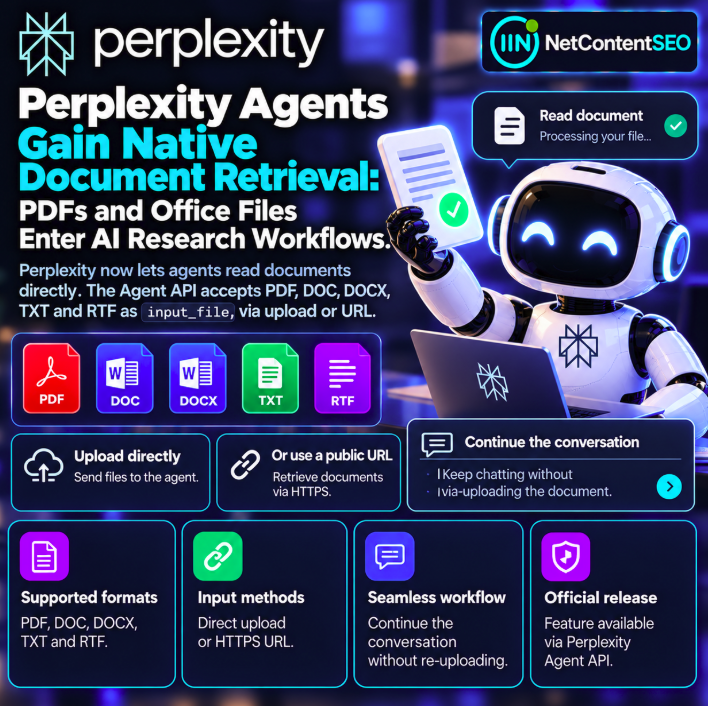

Perplexity has added native document input to its Agent API, allowing AI agents to work directly with PDF, DOC, DOCX, TXT and RTF files. According to the company's October 2026 changelog, developers can provide a document as a direct file input or through a publicly accessible HTTPS URL. The conversation can then continue with the document available in context, without requiring users to upload the same file again for every follow-up.
The update makes document-based research workflows easier to build, but it is important to distinguish documents supplied to an agent from web pages discovered and indexed by a public search engine. The release does not announce a change to Perplexity's public web indexing or citation ranking.
Primary source: Perplexity API Changelog.
What changed in Perplexity's Agent API?
The API now accepts documents through the input_file content type. Rather than requiring developers to extract text in a separate preprocessing step for every supported file, applications can pass a supported document to the agent as an input. This can simplify workflows in which users want to ask questions about reports, specifications, research papers or other files.
Supported document formats
| Format | Common use case |
|---|---|
| Reports, papers, presentations exported as documents | |
| DOC | Legacy Microsoft Word documents |
| DOCX | Modern Word documents, proposals and editorial drafts |
| TXT | Plain-text notes, logs and source material |
| RTF | Rich-text documents from multiple editors |
These are the formats identified in the announcement. Developers should consult the current API reference for size limits, supported encodings and any other constraints before designing production workflows.
Two ways to provide a document
1. Direct file input
An application can provide a supported file directly to the agent. This approach can be useful for user-selected documents that are not hosted on a public website. Developers remain responsible for ensuring that users are authorized to provide the files and for applying appropriate data-handling controls.
2. Public HTTPS URL
The API can also retrieve a document from a publicly accessible HTTPS URL. This can be convenient when a report or other document is already available online and the application has permission to use it.
Public HTTPS access is a meaningful requirement. The announcement does not establish support for arbitrary private URLs, intranet resources or files behind login pages. Nor does providing a URL imply that the document will become part of a public search index.
Continue the conversation without re-uploading
One practical improvement is continuity. After a document is introduced, the agent can continue a discussion about it without requiring the same file to be uploaded again at every turn. This supports iterative questions, follow-up analysis and refinement of earlier answers.
For example, a researcher might first ask for a summary of a report, then request a comparison of two sections and finally ask for a list of unanswered questions. The workflow is more natural when the document remains available to the continuing conversation.
The exact persistence window, storage behavior and session limitations should be checked in the API documentation; the announcement should not be interpreted as a promise of permanent document retention.
Why native document input matters for AI research
Many valuable research sources are published as files rather than ordinary HTML pages. Regulatory reports, technical specifications, white papers and historical archives frequently use PDF or office-document formats. Native input gives developers another way to incorporate those materials into agent workflows.
Possible applications include summarizing a supplied research paper, comparing authorized business documents, extracting facts from a technical specification and answering follow-up questions about an uploaded report. These are workflow examples, not independently benchmarked claims about extraction accuracy.
Document retrieval is not the same as web search
In public web search, a system discovers and retrieves sources according to its own crawling and indexing processes. In the newly documented Agent API workflow, a developer or user provides a document directly or identifies a public URL to retrieve.
Those mechanisms should not be conflated. A document that an agent can read through input_file is not necessarily discoverable by Perplexity's consumer search service, indexed by Google or eligible for citation in unrelated public answers.
What changes for SEO and GEO?
For SEO professionals, the update highlights the growing importance of document-centric research alongside conventional web-page analysis. Teams may be able to build more direct workflows around technical documentation, PDF reports and editorial files without manually converting each document into plain text.
For GEO researchers, it adds another variable to record when studying agent answers: whether a source was supplied directly as a file, retrieved from a user-provided URL or found through a search tool. A citation to a supplied document does not prove that the document would be independently discovered in a public AI search experience.
Important limitations to test
- File handling: Confirm actual supported sizes and parsing behavior for each format.
- Document structure: Test tables, headings, footnotes and complex layouts rather than assuming perfect extraction.
- Source grounding: Check whether responses accurately reflect the supplied document.
- Follow-up continuity: Verify how document context behaves across turns and sessions.
- Public URL access: Test only documents the application is authorized to retrieve.
- Privacy: Review data-processing terms before uploading confidential information.
- Cost: Check the current billing documentation for document processing and model usage.
Does native input guarantee accurate document understanding?
No. Accepting a file type does not guarantee flawless extraction or interpretation of every element within it. Complex PDF layouts, scanned pages, embedded charts and unusual encodings may require additional validation. Critical conclusions should be checked against the original document.
FAQ
Which files can Perplexity agents read?
PDF, DOC, DOCX, TXT and RTF, according to the October 2026 Agent API update.
What is the input type called?
input_file.
Can a document be supplied by URL?
Yes, through a publicly accessible HTTPS URL.
Do users have to upload the document again for every follow-up?
The announced workflow supports continuing the conversation without repeatedly uploading the same document.
Does this make uploaded documents searchable on the public web?
No. Direct document input and public search indexing are different processes.
Does the release change how Perplexity cites websites?
No change to the public citation ranking system is established by the announcement.
NetContentSEO analysis
Native document input reduces friction between an agent and the source material its user wants to analyze. Support for common office and text formats, public HTTPS retrieval and conversational continuity can make document-heavy research easier to automate. The SEO distinction remains essential: reading a supplied document is not evidence that the same file is discoverable, indexed or cited by a public AI search engine.
Primary source: Perplexity API Changelog, October 2026.